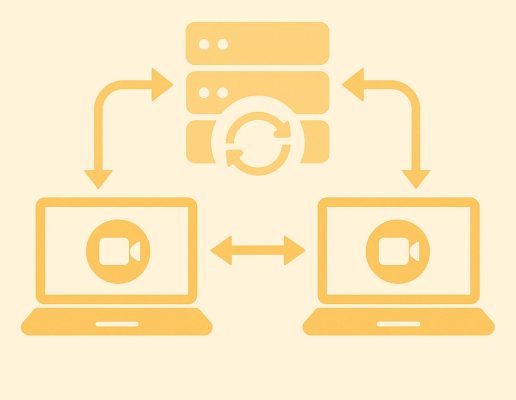

If you’ve worked on real-time streaming applications, you know how hard it is to maintain video quality across different conditions. Bandwidth varies. Devices have different capabilities. Whether you’re building a video conferencing platform, a live broadcast tool, or a smart camera feed, those differences can create real performance issues.
Scalable Video Coding (SVC) offers an efficient way to solve that problem, especially in WebRTC environments where users might be on high-speed desktops, unstable mobile networks or embedded devices with limited processing power.
WebRTC allows real-time audio, video and data streaming directly between browsers and devices – no plugins or external apps required. But it often has to work in less-than-ideal conditions. Some users may be on spotty Wi-Fi. Others might be using mobile data or sitting behind strict firewalls. That’s where SVC helps. It allows a single video stream to adjust in real time to each participant’s connection and device. The result: smoother playback, less wasted bandwidth, and no need to re-encode or send multiple versions of the same video.
But what exactly is SVC, how does it work, and how can you use it in your own applications? Let’s break it down.

The Basics: What Is Scalable Video Coding?
Scalable Video Coding, or SVC, is a method of compressing video that makes it easier to adjust the quality depending on how the video is being watched. Instead of creating separate versions of the same video, SVC lets you encode a single stream in layers. These layers can be added or removed based on the viewer’s internet speed or device performance. That makes streaming more efficient – especially in real-time applications like WebRTC, in which conditions can vary widely from user to user.
SVC isn’t its own video format. It’s a feature built into widely used video codecs which compress and decompress video so it can be stored and streamed more efficiently. Two of the most common codecs are H.264 (Advanced Video Coding) and H.265 (High Efficiency Video Coding). H.264 is popular because it works across most browsers, devices, and platforms. H.265 compresses video even more – about twice as efficiently – but it requires more processing power and not all browsers, devices or media platforms can use it reliably.
SVC builds on these codecs by introducing a layered structure within a single encoded video stream. Here’s how it works:
The base layer contains a minimal version of the video – lower resolution, lower frame rate, or lower quality – but it’s enough to provide a basic viewing experience.
One or more enhancement layers are stacked on top. These layers add extra detail, such as higher resolution, smoother frame rates or improved visual clarity.
The key benefit to SVC is that receivers, such as browsers, embedded devices or apps, can selectively decode only the layers they can handle. For example, a smartphone on a congested mobile network might only download and play the base layer, while a desktop on a high-speed connection can process the full set of layers for a higher-quality stream.
In practical terms, SVC enables smoother video delivery. If the network becomes unreliable or device performance drops, the viewer doesn’t experience buffering or a total quality drop – they just receive fewer enhancement layers. The video keeps playing, albeit at a reduced quality, and can improve again when conditions allow.
For developers building video applications, SVC offers a scalable, resource-efficient way to deliver consistent quality across diverse viewing conditions.

Types of Scalability in SVC
SVC supports three main types of scalability, each offering a different way to adapt video quality:
- Temporal scalability: Adjusts the frame rate. Lower layers might deliver 15 fps, while higher layers add frames to reach 30 or 60 fps. This is useful when conserving bandwidth during network congestion.
- Spatial scalability: Adjusts resolution. A base layer may be 480p, with enhancement layers adding up to 720p or 1080p.
- Quality scalability: Adjusts the level of detail and clarity without changing resolution or frame rate. This is useful for fine-tuning video quality based on available resources.
These scalability types can be used individually or combined, giving developers flexibility to tailor video streams for a wide range of use cases.
SVC in WebRTC
WebRTC is a popular choice for real-time video, but support for SVC in WebRTC is still evolving. Earlier versions of WebRTC relied on the VP8 codec, which doesn’t support true SVC. Instead, it uses simulcast – a method that sends multiple full copies of a video stream at different resolutions. Simulcast works, but it can be inefficient, especially when many users are connected or bandwidth is limited.
Newer codecs like VP9 and AV1 offer better support for SVC. They allow WebRTC to send a single video stream in layers, which can adapt in real time to each viewer’s connection and device. That makes them a better fit for group video calls, live broadcasts, and any situation in which participants have widely varying network quality.
If you’re building a WebRTC app, it’s worth testing VP9 with SVC. You can reduce bandwidth use while improving video quality – particularly in peer-to-peer setups where each user streams video directly to others.
Is SVC Right for You?
If your application only serves a small number of users, or you’re using older media infrastructure that doesn’t yet support SVC, you may be better off sticking with simulcast. Simulcast is well-supported across most browsers and media servers, and although it uses more upstream bandwidth by sending multiple full video streams, it’s relatively simple to implement and reliable in one-to-few scenarios like small group video chats. Plus, smart cameras don’t always support the newer codecs that are necessary for SVC.
On the other hand, SVC becomes especially useful when your application needs to scale. If you’re supporting large groups, broadcasting to many users, or serving clients with a wide range of network speeds and device capabilities, SVC can help. It lets you send a single video stream that adapts to each viewer, rather than generating and transmitting multiple separate streams. That saves both bandwidth and CPU resources on the server or sender side.
This makes SVC especially appealing for:
- Video conferencing platforms with variable group sizes
- IoT or smart camera applications in which efficient bandwidth use is critical and the camera supports newer codecs and SVC
- Mesh-based peer-to-peer networks, in which each client sends video to multiple peers
- Hybrid edge/cloud video applications, in which flexibility in decoding and rendering is important
That said, SVC’s real-world usefulness still depends on browser and server support. While Chrome and Firefox offer promising VP9 SVC functionality, full support across browsers is still a work in progress.
In short: if you’re building a modern, scalable WebRTC application in which performance, efficiency, and adaptability matter, SVC is worth serious consideration. Just be sure to test thoroughly and keep an eye on ongoing updates to browser and server capabilities. It’s an evolving space, but one with a lot of potential.
Final Thoughts
In an era when real-time video is central to everything from security systems to smart home apps, SVC offers a path to smarter, more adaptable video delivery. It reduces resource consumption, improves user experience, and provides a foundation for building applications that can scale more gracefully.
If you’re building WebRTC or low-latency video streaming systems with the latest codecs, now is the time to get familiar with SVC. Start experimenting with VP9 scalability, follow progress on AV1 support, and keep an eye on how media servers are evolving to support layered encoding.
Read our other resources
We’ve published a range of resources for our community, including:
- Choosing an audio codec for your IoT project
- Which streaming protocol is right for you?
- An explainer on WebRTC security architecture