

When you’re building something like a video chat app, a smart doorbell, or an online multiplayer game, chances are your devices need to talk to each other directly over the internet. But that’s easier said than done.
Most devices – whether laptops, smartphones, or IoT gadgets – don’t have public-facing IP addresses. Instead, they’re tucked behind routers or firewalls using network address translation (NAT). NAT is a common technique that lets multiple devices share a single public IP address, which helps with security and conserves address space, but it also creates a challenge for peer-to-peer (P2P) communication.
While NAT improves security and helps conserve the limited number of available IP addresses, it also creates challenges for peer-to-peer (P2P) communication. Since devices behind NAT don’t have publicly reachable IP addresses, they can’t easily establish direct connections with other devices on the internet. This is a major hurdle for real-time communication technologies like WebRTC, which rely on low-latency, direct connections for video calls, voice chats, and data streaming.
To address this issue, WebRTC uses session traversal utilities for NAT (STUN) servers to help devices discover their public IP addresses. Whether you’re building a telehealth platform, a connected security camera, or a multiplayer gaming service, understanding how STUN works is key to enabling direct, low-latency connections between devices – and optimizing the performance of your application.
The Nabto Real Time Communication plaform for IoT

Ready to talk to our IoT experts to see what we can do??
Book a consultation today and get help with tech support, business inquiries, and other IoT queries. We are happy to help. Talk to you soon.
What is a STUN Server?
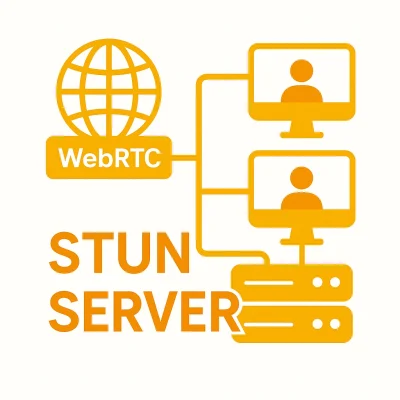
A STUN server is a network service that helps devices behind NAT learn the public IP address and port number that their network is using to communicate with the outside world. This step is necessary in WebRTC applications, in which two devices need to exchange network details in order to attempt a direct peer-to-peer connection. Without that information, the devices wouldn’t know how to reach each other over the internet.
When a device sends a request to a STUN server, the server responds with the public IP address and port number it sees in the request. The device then uses this information to inform its communication partner – typically through a signaling process – so they can try to connect directly. STUN servers don’t transmit any actual media or data between devices; they simply help set up the connection by navigating NAT restrictions.
How Does a STUN Server Work?
When a WebRTC-enabled device – for instance, a smart doorbell – wants to begin communicating with a user’s phone or app, it first gathers its own local IP address. Because the doorbell is typically behind a home router using NAT, it then sends a request to a STUN server to find out the public IP address and port that the router has assigned for its outbound traffic.
The STUN server responds with this public-facing information, which the smart doorbell can then share with the mobile app through a signaling server. With both the doorbell and the app now aware of each other’s network details, they can assess whether a direct peer-to-peer connection is possible.
This process is crucial because NAT obscures a device’s true external IP address from the outside world. By using a STUN server to reveal that information, the smart doorbell enables a direct connection with the user’s app, allowing for low-latency video, real-time alerts, and efficient data transfer without relying on a cloud relay server.
However, the success of a STUN-based connection depends on the type of NAT in use. Some NAT types allow external communication with minimal restrictions, while others impose stricter rules that can block direct peer-to-peer (P2P) connections entirely. This can have a direct effect on how reliably your application functions. The most common NAT types behave differently when it comes to accepting incoming traffic. Here’s how they compare:
- Full-Cone NAT: The least restrictive type. Once the device establishes an outbound connection, any external host can send data back through the same mapping. STUN works well in this setup, which is often found in home networks – ideal for consumer-facing projects like smart doorbells or in-home video monitors, where smooth direct connections enhance responsiveness.
- Restricted-Cone NAT and Port-Restricted NAT: These introduce limitations by allowing incoming traffic only from IP addresses (and in the latter case, specific ports) that the device has already contacted. STUN can often still succeed in these environments, which are common in small offices or managed home networks. This is relevant for projects like remote collaboration tools or basic telehealth applications, in which connections may still be established but with a slightly higher risk of fallback.
- Symmetric NAT: The most restrictive, typically used in enterprise or corporate networks. Symmetric NAT assigns a different public IP and port for each outbound connection, making it difficult for other devices to connect back through the same mapping. In these cases, STUN alone won’t work – projects that require reliable connectivity in such environments, like corporate conferencing platforms or industrial IoT systems, will likely need to use TURN servers for data relay.
To determine which NAT type a WebRTC-enabled device is dealing with, it may send multiple STUN requests to different servers and compare the results. If the responses suggest that direct P2P communication isn’t feasible, the interactive connectivity establishment (ICE) framework will switch to a fallback approach using TURN servers to ensure the connection goes through.
Choosing and Configuring STUN Servers
For developers working on WebRTC-enabled IoT applications, properly configuring STUN servers is critical to performance. Here are a few best practices:
- Use multiple STUN servers: For better reliability and accuracy, configure your application to use multiple STUN servers in different geographic regions. If one server is slow to respond or unavailable, the others can provide backup – helping to avoid failed connection attempts and reduce latency.
- Leverage public STUN services for prototyping: During development and testing, developers often use public STUN services like Google’s public STUN servers (stun.l.google.com:19302). For production deployments, however, it’s best to rely on self-hosted or commercial STUN servers to maintain better control over uptime, performance, and security.
- Ensure security compliance: While STUN itself doesn’t transmit sensitive data, it can reveal the public IP and port mappings of a device. In sensitive IoT use cases – especially in healthcare or critical infrastructure – developers should carefully protect this information with encrypted signaling channels and strong access controls.
- Monitor and log connection behavior: Because NAT behavior can vary widely across networks, maintaining logs of connection attempts, ICE candidate selection, and fallback scenarios can help in debugging and optimizing performance.
Real-World Applications of STUN Servers
Once properly configured, STUN servers play a critical behind-the-scenes role in making real-time connectivity more efficient and responsive. From consumer devices to enterprise platforms, STUN supports a wide range of projects that rely on direct, low-latency peer-to-peer connections.
The following examples show how different industries use STUN to improve performance, reduce server load, and deliver a smoother user experience – even when devices are operating behind NAT:
- In video conferencing platforms like Zoom, Microsoft Teams, and Google Meet, STUN helps users connect directly whenever possible, improving call quality while easing the burden on central servers.
- In online gaming, in which split-second responsiveness is key, STUN enables fast peer-to-peer connections between players, reducing lag in fast-paced or competitive environments.
- Smart home devices such as video doorbells, smart locks, and IP cameras use STUN to connect directly with mobile apps or hubs, allowing for real-time alerts, live video, and quicker response times without routing all traffic through the cloud.
- In IoT security systems, STUN helps surveillance cameras connect to monitoring centers with minimal delay, ensuring smooth video streams and reducing reliance on bandwidth-heavy relays.
Final Thoughts
STUN is a fundamental part of WebRTC and plays a vital role in enabling efficient peer-to-peer communication across various applications. By helping devices discover their public IPs and navigate NAT barriers, STUN reduces reliance on relay servers, improving performance and lowering costs. However, in cases where NAT restrictions prevent direct connections, TURN servers serve as a necessary fallback to ensure reliable communication.
For developers working on IoT applications, understanding this dynamic – and configuring STUN properly – can significantly enhance reliability, reduce latency, and create better user experiences.
Read our other resources
We’ve published a range of resources for our community, including:
- What is a WebRTC signaling server?
- Understanding latency in IoT
- Why Use P2P for IoT Video Streaming?, a guide explaining why P2P is often the best option for IoT video application