<?xml version="1.0" encoding="utf-8"?><feed xmlns="http://www.w3.org/2005/Atom" ><generator uri="https://jekyllrb.com/" version="4.4.1">Jekyll</generator><link href="https://www.nabto.com/feed/index.xml" rel="self" type="application/atom+xml" /><link href="https://www.nabto.com/" rel="alternate" type="text/html" /><updated>2026-07-31T13:22:26+02:00</updated><id>https://www.nabto.com/feed/index.xml</id><title type="html">Nabto</title><entry><title type="html">WebRTC’s One-to-One Design: A Short History of Real-Time Communication</title><link href="https://www.nabto.com/history-of-webrtc/" rel="alternate" type="text/html" title="WebRTC’s One-to-One Design: A Short History of Real-Time Communication" /><published>2025-06-24T14:48:30+02:00</published><updated>2025-06-24T14:48:30+02:00</updated><id>https://www.nabto.com/history-of-webrtc</id><content type="html" xml:base="https://www.nabto.com/history-of-webrtc/"><![CDATA[<p>Web Real-Time Communication (WebRTC) has transformed how people connect online, powering everything from video calls to remote control of IoT devices. Its path from concept to global standard is one of open-source collaboration, strategic acquisitions, and bold bets on the future of internet-based interaction.</p>

<p>WebRTC was built from the ground up on a unicast model, in which data travels directly between devices, one-to-one. That’s a sharp contrast to multicast, which is typically used for broadcasting the same stream to many users at once, as in live sports streaming. Unicast, by contrast, is better suited for two-way conversations like video calls or collaborative apps, in which each connection requires a dedicated stream. This architectural choice helped WebRTC excel in privacy, low latency, and peer-to-peer performance – all critical for real-time, interactive communication.</p>

<p>Let’s explore the origins of WebRTC, how real-time media evolved on the internet, and why the decision to go all-in on unicast shaped the technology’s success.</p>

<div class="post-cta">
<p><img src="/assets/uploads/2023/10/CTA-pctest-white-1400x262.png" alt="" /></p>
<h3><strong>Set up a simulated IoT Video surveillance device on your PC in minutes.</strong></h3>
<p>Our full-stack demos give you access to the Nabto Platform so you can try it now. We specialize in secure, low-latency, P2P connectivity. Get the demo app to try it.</p>
<p><a href="/nabto-video-cam-demo/">Get App Demo</a></p>
</div>

<h2 id="the-early-days-of-real-time-media">The Early Days of Real-Time Media</h2>

<p>Long before WebRTC, developers had begun exploring how to send audio and video over the internet, but the early efforts were far from seamless. Tools like nv (Network Video), introduced in 1992 by Ron Frederick, allowed users to stream live video using IP multicast, which broadcast the same data to multiple recipients at once. Around the same time, researchers were laying the groundwork with protocols like RTP and RTCP, which helped manage time-sensitive media streams like voice and video.</p>

<p>The goal was bold: to create a low-latency, broadcast-style system for real-time media, built on open internet standards. But in practice, these early technologies were difficult to implement, unreliable across different networks, and inaccessible to everyday users. Real-time communication remained mostly the domain of researchers and specialized tools, not something built into the fabric of the web. WebRTC would change that.</p>

<h2 id="enter-webrtc">Enter WebRTC</h2>

<p>Despite early progress with multicast and RTP, real-time communication remained niche and difficult to use. Most video calls required special software, browser plugins like Flash, or custom-built apps, all prone to bugs, security risks, and poor user experience. What the internet needed was a simpler, browser-native solution.</p>

<p>By the 2010s, that possibility was finally within reach. Browsers had become more powerful, JavaScript engines were faster, and users expected voice and video chat to work without extra downloads. Google’s early Gmail video chat, which was built with technologies like GIPS for audio, Vidyo for video, and libjingle for networking, hinted at what was possible, but it was still proprietary and brittle.</p>

<p>The industry needed a consistent, open standard. In 2011, that standard arrived: WebRTC. Its goals were straightforward – enable browsers to send and receive real-time audio, video, and data; make it secure and peer-to-peer; and eliminate the need for extra software.</p>

<p><img src="/assets/uploads/2025/06/ChatGPT-Image-Jun-20-2025-06_46_13-AM-400x400.webp" alt="Image depicting the browser-to-browser communication protocol WebRTC" /></p>

<h2 id="standardization-and-early-adoption">Standardization and Early Adoption</h2>

<p>To become a true web standard, WebRTC needed more than Google’s support. It needed global consensus. That effort was led by two key organizations. The Internet Engineering Task Force (IETF) handled the underlying transport protocols, working to ensure that WebRTC could connect devices securely and reliably, even across the complex realities of the internet. That included getting through firewalls and <a href="/what-is-nat-traversal-in-webrtc/">Network Address Translators</a> (NAT), which are common in home and corporate networks and often block direct peer-to-peer connections. The IETF’s work led to the adoption of several foundational technologies: ICE, for negotiating connections; STUN and TURN, for navigating NATs and firewalls; and DTLS-SRTP, for encrypting media streams.</p>

<p>Meanwhile, the World Wide Web Consortium (W3C) defined the JavaScript APIs, which are the browser-facing tools developers use to access webcams, microphones, and data channels. These APIs made it possible to build real-time, peer-to-peer communication directly into web applications, with no plugins or extra software required.</p>

<p>The road to standardization wasn’t entirely smooth. Browser vendors and telecom companies had different ideas about how signaling – the process of coordinating connections – should work. WebRTC sidestepped this debate by leaving signaling out of the spec, allowing developers to choose their own methods, whether WebSockets, SIP, or custom solutions. That flexibility helped speed adoption but also meant more work upfront.</p>

<p>Despite the challenges, the collaboration paid off. By the mid-2010s, Chrome, Firefox, and Opera had released versions of their browsers that included built-in support for WebRTC, with Safari and Edge joining later. Today, WebRTC is supported on billions of devices and remains the backbone of real-time communication on the modern web.</p>

<h2 id="final-thoughts">Final thoughts</h2>

<p>WebRTC began as a mix of strategic acquisitions and open-source ideals, and has since evolved into a global standard for real-time communication across browsers, mobile apps, and connected devices. Its influence extends far beyond video calls, powering everything from IoT and remote monitoring to multiplayer gaming and live collaboration tools.</p>

<p>By enabling peer-to-peer communication through unicast connections, WebRTC sidestepped the need for centralized servers in many scenarios, helping reduce latency and improve privacy. At the same time, it sparked important conversations about what web communication should look like: built on open standards, secure by design, and usable by anyone with a modern browser.</p>

<p>As technology continues to evolve, WebRTC remains a cornerstone of real-time interaction on the internet. Whether you’re streaming video, exchanging data, or enabling smart devices to communicate, WebRTC is still doing the work, which is a testament to what open collaboration across the tech community can achieve.</p>

<h2 id="read-our-other-resources">Read our other resources</h2>

<p>We’ve published a range of resources for our community, including:</p>

<ul>
  <li>An <a href="/what-is-webrtc/">introduction to WebRTC</a> in video streaming</li>
  <li>Top <a href="/what-is-webrtc/">use cases</a> for WebRTC in IoT</li>
  <li>Our <a href="/rtc-explainer/">RTC explainer</a>, which highlights the benefits of real-time communication</li>
</ul>]]></content><author><name>Carsten Gregersen</name></author><category term="IoT explained" /><category term="Video" /><summary type="html"><![CDATA[Everything you need to know about WebRTC's history, including how real-time media evolved and why WebRTC became the gold standard.]]></summary><media:thumbnail xmlns:media="http://search.yahoo.com/mrss/" url="https://www.nabto.com/assets/uploads/2025/06/ChatGPT-Image-Jun-20-2025-06_46_13-AM.webp" /><media:content medium="image" url="https://www.nabto.com/assets/uploads/2025/06/ChatGPT-Image-Jun-20-2025-06_46_13-AM.webp" xmlns:media="http://search.yahoo.com/mrss/" /></entry><entry><title type="html">What Is Scalable Video Coding? A Guide to SVC for WebRTC</title><link href="https://www.nabto.com/what-is-scalable-video-coding-in-webrtc/" rel="alternate" type="text/html" title="What Is Scalable Video Coding? A Guide to SVC for WebRTC" /><published>2025-06-11T21:45:12+02:00</published><updated>2025-06-11T21:45:12+02:00</updated><id>https://www.nabto.com/what-is-scalable-video-coding-in-webrtc</id><content type="html" xml:base="https://www.nabto.com/what-is-scalable-video-coding-in-webrtc/"><![CDATA[<p>If you’ve worked on real-time streaming applications, you know how hard it is to maintain video quality across different conditions. Bandwidth varies. Devices have different capabilities. Whether you’re building a video conferencing platform, a live broadcast tool, or a smart camera feed, those differences can create real performance issues.</p>

<p>Scalable Video Coding (SVC) offers an efficient way to solve that problem, especially in WebRTC environments where users might be on high-speed desktops, unstable mobile networks or embedded devices with limited processing power.</p>

<p>WebRTC allows real-time audio, video and data streaming directly between browsers and devices – no plugins or external apps required. But it often has to work in less-than-ideal conditions. Some users may be on spotty Wi-Fi. Others might be using mobile data or sitting behind strict firewalls. That’s where SVC helps. It allows a single video stream to adjust in real time to each participant’s connection and device. The result: smoother playback, less wasted bandwidth, and no need to re-encode or send multiple versions of the same video.</p>

<p>But what exactly is SVC, how does it work, and how can you use it in your own applications? Let’s break it down.</p>

<div class="post-cta">
<p><img src="/assets/uploads/2023/10/CTA-pctest-white-1400x262.png" alt="" /></p>
<h3><strong>Set up a simulated IoT Video surveillance device on your PC in minutes.</strong></h3>
<p>Our full-stack demos give you access to the Nabto Platform so you can try it now. We specialize in secure, low-latency, P2P connectivity. Get the demo app to try it.</p>
<p><a href="/nabto-video-cam-demo/">Get App Demo</a></p>
</div>

<h2 id="the-basics-what-is-scalable-video-coding">The Basics: What Is Scalable Video Coding?</h2>

<p>Scalable Video Coding, or SVC, is a method of compressing video that makes it easier to adjust the quality depending on how the video is being watched. Instead of creating separate versions of the same video, SVC lets you encode a single stream in layers. These layers can be added or removed based on the viewer’s internet speed or device performance. That makes streaming more efficient – especially in real-time applications like WebRTC, in which conditions can vary widely from user to user.</p>

<p>SVC isn’t its own video format. It’s a feature built into widely used video codecs which compress and decompress video so it can be stored and streamed more efficiently. Two of the most common codecs are H.264 (Advanced Video Coding) and H.265 (High Efficiency Video Coding). H.264 is popular because it works across most browsers, devices, and platforms. H.265 compresses video even more – about twice as efficiently – but it requires more processing power and not all browsers, devices or media platforms can use it reliably.</p>

<p>SVC builds on these codecs by introducing a layered structure within a single encoded video stream. Here’s how it works:</p>

<p>The base layer contains a minimal version of the video – lower resolution, lower frame rate, or lower quality – but it’s enough to provide a basic viewing experience.</p>

<p>One or more enhancement layers are stacked on top. These layers add extra detail, such as higher resolution, smoother frame rates or improved visual clarity.</p>

<p>The key benefit to SVC is that receivers, such as browsers, embedded devices or apps, can selectively decode only the layers they can handle. For example, a smartphone on a congested mobile network might only download and play the base layer, while a desktop on a high-speed connection can process the full set of layers for a higher-quality stream.</p>

<p>In practical terms, SVC enables smoother video delivery. If the network becomes unreliable or device performance drops, the viewer doesn’t experience buffering or a total quality drop – they just receive fewer enhancement layers. The video keeps playing, albeit at a reduced quality, and can improve again when conditions allow.</p>

<p>For developers building video applications, SVC offers a scalable, resource-efficient way to deliver consistent quality across diverse viewing conditions.</p>

<p><img src="/assets/uploads/2025/06/Scalable-Video-Coding-400x400.webp" alt="" /></p>

<h2 id="types-of-scalability-in-svc">Types of Scalability in SVC</h2>

<p>SVC supports three main types of scalability, each offering a different way to adapt video quality:</p>

<ul>
  <li><strong>Temporal scalability</strong>: Adjusts the frame rate. Lower layers might deliver 15 fps, while higher layers add frames to reach 30 or 60 fps. This is useful when conserving bandwidth during network congestion.</li>
  <li><strong>Spatial scalability</strong>: Adjusts resolution. A base layer may be 480p, with enhancement layers adding up to 720p or 1080p.</li>
  <li><strong>Quality scalability</strong>: Adjusts the level of detail and clarity without changing resolution or frame rate. This is useful for fine-tuning video quality based on available resources.</li>
</ul>

<p>These scalability types can be used individually or combined, giving developers flexibility to tailor video streams for a wide range of use cases.</p>

<h2 id="svc-in-webrtc">SVC in WebRTC</h2>

<p>WebRTC is a popular choice for real-time video, but support for SVC in WebRTC is still evolving. Earlier versions of WebRTC relied on the VP8 codec, which doesn’t support true SVC. Instead, it uses simulcast – a method that sends multiple full copies of a video stream at different resolutions. Simulcast works, but it can be inefficient, especially when many users are connected or bandwidth is limited.</p>

<p>Newer codecs like VP9 and AV1 offer better support for SVC. They allow WebRTC to send a single video stream in layers, which can adapt in real time to each viewer’s connection and device. That makes them a better fit for group video calls, live broadcasts, and any situation in which participants have widely varying network quality.</p>

<p>If you’re building a WebRTC app, it’s worth testing VP9 with SVC. You can reduce bandwidth use while improving video quality – particularly in peer-to-peer setups where each user streams video directly to others.</p>

<h2 id="is-svc-right-for-you">Is SVC Right for You?</h2>

<p>If your application only serves a small number of users, or you’re using older media infrastructure that doesn’t yet support SVC, you may be better off sticking with simulcast. Simulcast is well-supported across most browsers and media servers, and although it uses more upstream bandwidth by sending multiple full video streams, it’s relatively simple to implement and reliable in one-to-few scenarios like small group video chats. Plus, smart cameras don’t always support the newer codecs that are necessary for SVC.</p>

<p>On the other hand, SVC becomes especially useful when your application needs to scale. If you’re supporting large groups, broadcasting to many users, or serving clients with a wide range of network speeds and device capabilities, SVC can help. It lets you send a single video stream that adapts to each viewer, rather than generating and transmitting multiple separate streams. That saves both bandwidth and CPU resources on the server or sender side.</p>

<p>This makes SVC especially appealing for:</p>

<ul>
  <li>Video conferencing platforms with variable group sizes</li>
  <li>IoT or smart camera applications in which efficient bandwidth use is critical and the camera supports newer codecs and SVC</li>
  <li>Mesh-based peer-to-peer networks, in which each client sends video to multiple peers</li>
  <li>Hybrid edge/cloud video applications, in which flexibility in decoding and rendering is important</li>
</ul>

<p>That said, SVC’s real-world usefulness still depends on browser and server support. While Chrome and Firefox offer promising VP9 SVC functionality, full support across browsers is still a work in progress.</p>

<p>In short: if you’re building a modern, scalable WebRTC application in which performance, efficiency, and adaptability matter, SVC is worth serious consideration. Just be sure to test thoroughly and keep an eye on ongoing updates to browser and server capabilities. It’s an evolving space, but one with a lot of potential.</p>

<h2 id="final-thoughts">Final Thoughts</h2>

<p>In an era when real-time video is central to everything from security systems to smart home apps, SVC offers a path to smarter, more adaptable video delivery. It reduces resource consumption, improves user experience, and provides a foundation for building applications that can scale more gracefully.</p>

<p>If you’re building WebRTC or low-latency video streaming systems with the latest codecs, now is the time to get familiar with SVC. Start experimenting with VP9 scalability, follow progress on AV1 support, and keep an eye on how media servers are evolving to support layered encoding.</p>

<h2 id="read-our-other-resources">Read our other resources</h2>

<p>We’ve published a range of resources for our community, including:</p>

<ul>
  <li><a href="/best-audio-codec-chips/">Choosing an audio codec</a> for your IoT project</li>
  <li>Which <a href="/rtmp-vs-webrtc/">streaming protocol</a> is right for you?</li>
  <li>An explainer on <a href="/understanding-webrtc-security/">WebRTC security architecture</a></li>
</ul>]]></content><author><name>Carsten Gregersen</name></author><category term="IoT explained" /><category term="Video" /><summary type="html"><![CDATA[Scalable video coding (SVC) helps live streams adapt to the bandwidth needs of each user to ensure high quality video on all devices.]]></summary><media:thumbnail xmlns:media="http://search.yahoo.com/mrss/" url="https://www.nabto.com/assets/uploads/2025/06/Scalable-Video-Coding.webp" /><media:content medium="image" url="https://www.nabto.com/assets/uploads/2025/06/Scalable-Video-Coding.webp" xmlns:media="http://search.yahoo.com/mrss/" /></entry><entry><title type="html">What Is a TURN Server? Ensuring Reliable WebRTC Connections</title><link href="https://www.nabto.com/what-is-a-turn-server-ensuring-reliable-webrtc-connections/" rel="alternate" type="text/html" title="What Is a TURN Server? Ensuring Reliable WebRTC Connections" /><published>2025-06-02T23:29:54+02:00</published><updated>2025-06-02T23:29:54+02:00</updated><id>https://www.nabto.com/what-is-a-turn-server-ensuring-reliable-webrtc-connections</id><content type="html" xml:base="https://www.nabto.com/what-is-a-turn-server-ensuring-reliable-webrtc-connections/"><![CDATA[<p>Real-time communication is now a core feature of many web-based applications, from video calls and online classrooms to telehealth services and IoT systems. These interactions depend on fast, reliable data exchange between devices, often without any manual setup by the user.</p>

<p>A key technology that makes this possible is Web Real-Time Communication (WebRTC), an open-source protocol that allows browsers and devices to share video, audio, and data directly, without needing third-party plugins or software.</p>

<p>In an ideal scenario, WebRTC enables two devices to communicate directly using a peer-to-peer (P2P) connection. However, in real-world networks, factors like firewalls and corporate network restrictions can obstruct direct communication.</p>

<p>When a direct connection isn’t possible, WebRTC relies on what are called Traversal Using Relays Around NAT (TURN) servers to act as intermediaries, ensuring a stable and reliable connection. By transmitting all data between peers, TURN becomes a critical fallback mechanism for real-time communication applications.</p>

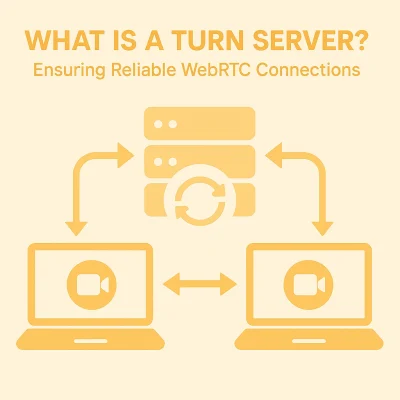
<p>TURN acts as a sort of mail delivery service – one device sends the package to a central server, which then sends the message to another device. Here, I’ll explain more about how this works and why it matters in WebRTC.</p>

<p>CTA Video Demo</p>

<div class="post-cta">
<p><img src="/assets/uploads/2023/10/CTA-pctest-white-1400x262.png" alt="" /></p>
<h3><strong>Set up a simulated IoT Video surveillance device on your PC in minutes.</strong></h3>
<p>Our full-stack demos give you access to the Nabto Platform so you can try it now. We specialize in secure, low-latency, P2P connectivity. Get the demo app to try it.</p>
<p><a href="/nabto-video-cam-demo/">Get App Demo</a></p>
</div>

<h2 id="what-is-turn">What is TURN?</h2>

<p>If you’ve ever joined a video call from a network with strict security settings – like those often found in corporate offices – or streamed a multiplayer game over hotel Wi-Fi, or used a remote desktop app over a mobile network, there’s a good chance a TURN server was working behind the scenes to keep your connection stable.</p>

<p>To understand how TURN fits into the WebRTC ecosystem, it helps to look at how these real-time connections are established. When two peers try to start a WebRTC session – whether it’s a video call, a sensor stream from an IoT device, or a screen-sharing session – WebRTC uses a process called ICE (Interactive Connectivity Establishment) to find the most effective path between them.</p>

<p>ICE first tries to create a direct, peer-to-peer link using STUN (Session Traversal Utilities for NAT). This lightweight protocol helps each device discover its public-facing IP address and port as seen from the outside network – information that’s critical for routing traffic through NATs and firewalls. NAT, or Network Address Translation, is a common networking technique that allows multiple devices on a private network to share a single public IP address, but it can also block direct peer-to-peer connections. If a direct connection isn’t possible, because of restrictive network settings, firewalls, or symmetric NATs, ICE turns to TURN.</p>

<p>In a TURN-based connection, one or both devices contact a TURN server to request a relay address. The TURN server assigns a temporary public address and begins acting as an intermediary, forwarding all packets between the two endpoints. This keeps the session alive even in locked-down environments in which direct links aren’t an option.</p>

<p>Unlike STUN, which is used only during setup, TURN remains active throughout the session. It handles every packet – voice, video, or data – requiring a persistent connection and robust infrastructure to avoid performance bottlenecks.</p>

<p>Because TURN servers do the heavy lifting – receiving, processing, and relaying all traffic – they consume more resources and can introduce additional latency. But for many real-time applications, including enterprise video conferencing, cloud-based gaming, telehealth, and remote collaboration, that trade-off is worth it. TURN ensures these apps remain usable, even under challenging network conditions when other connection methods fail.</p>

<h3 id="when-is-turn-necessary">When Is TURN Necessary?</h3>

<p>TURN is not used in every WebRTC session – only when required. Some common scenarios where TURN becomes essential include:</p>

<ul>
  <li>S<strong>ymmetric NATs or restrictive firewalls</strong> that prevent STUN from functioning.</li>
  <li><strong>Corporate or enterprise networks</strong> with locked-down configurations.</li>
  <li><strong>Mobile networks</strong> with complex routing paths.</li>
  <li><strong>Cross-geography connections</strong> in which network paths aren’t optimized for direct links.</li>
</ul>

<p>In these cases, TURN ensures that communication continues uninterrupted, even if at the cost of higher latency or bandwidth usage.</p>

<p><img src="/assets/uploads/2025/06/ChatGPT-Image-Jun-2-2025-01_25_27-PM-400x400.webp" alt="" /></p>

<h3 id="security-and-turn-servers">Security and TURN Servers</h3>

<p>TURN servers are not just about maintaining connectivity – they’re also a critical line of defense in securing real-time communications. Because they handle the entire stream of data between peers, TURN servers have full visibility into all transmitted content. That makes them a sensitive part of the WebRTC architecture and a potential target for misuse, so they must be protected accordingly.</p>

<p>To ensure data is secure during transmission, TURN servers typically use encryption protocols such as TLS (Transport Layer Security) or DTLS (Datagram Transport Layer Security). These protocols encrypt the media and data streams, making it difficult for unauthorized parties to intercept or tamper with the information in transit.</p>

<p>Authentication is another important layer of protection. TURN servers usually employ long-term credential mechanisms, requiring the connecting application (or client device) to provide a valid username and password before allocating a relay address. This helps ensure that only authorized users and systems can access the server’s resources.</p>

<p>Administrators can further strengthen security through access control measures, such as IP whitelisting or the use of Access Control Lists (ACLs). These configurations restrict server access to known or trusted networks, reducing the risk of abuse or unauthorized traffic.</p>

<p>In environments in which data sensitivity is paramount – such as in healthcare, finance, or enterprise communications – these security features are essential. They ensure that TURN servers do more than relay data – they help preserve the integrity, confidentiality, and trustworthiness of every real-time session.</p>

<h2 id="optimizing-turn-deployment">Optimizing TURN Deployment</h2>

<p>Because TURN servers are resource-intensive, it’s important to deploy them thoughtfully to balance reliability and cost. One key strategy is geographic distribution – placing TURN servers in multiple regions reduces latency by bringing the relay point closer to the communicating peers. This is particularly useful for applications with a global user base. In addition, using load balancing and autoscaling ensures that TURN infrastructure can handle varying traffic volumes without performance degradation or manual intervention.</p>

<p>Another key factor is maintaining a high peer-to-peer (P2P) connection ratio. WebRTC applications try to establish as many direct connections using Session Traversal Utilities for NAT (STUN) as possible. A high P2P ratio reduces the need for relaying traffic through TURN servers, which helps cut down on bandwidth costs and improves performance. However, the algorithms inside modern browsers determine whether a direct connection is possible, meaning developers have limited control over the actual P2P ratio achieved. Still, designing systems with this goal in mind—favoring STUN-first connectivity—can help reduce unnecessary reliance on TURN.</p>

<p>To keep costs under control, developers should configure WebRTC applications to use TURN only when necessary. The system should first attempt to establish a direct connection using STUN and only fall back to TURN when firewalls or NAT types make that impossible. Monitoring bandwidth usage is also essential, as TURN traffic can grow rapidly in data-heavy applications like video streaming or high-frequency IoT data relays. With careful planning, developers can ensure TURN enhances reliability without introducing unnecessary overhead.</p>

<h2 id="turn-supports-iot">TURN Supports IoT</h2>

<p>TURN is widely used in WebRTC applications, but its significance extends beyond traditional video conferencing. It plays a crucial role in IoT deployments that rely on consistent, real-time data transmission across complex or restricted networks.</p>

<p>In smart security systems, IP-based surveillance cameras in office buildings, warehouses, and retail environments often encounter restrictive NAT configurations that block direct peer-to-peer connections. TURN servers help these cameras relay live video feeds to remote monitoring centers without interruption.</p>

<p>In medical IoT, connected health devices – such as continuous glucose monitors, cardiac telemetry tools, and other remote patient monitoring systems – must comply with strict hospital network security policies. When direct communication is blocked, TURN ensures that sensitive health data reliably reaches centralized clinical dashboards or care coordination platforms.</p>

<p>In industrial automation, facilities use IoT sensors to monitor everything from equipment wear and vibration to temperature, humidity, and inventory flow. TURN enables these systems to maintain real-time communication with analytics platforms and control systems, even in environments where internal network restrictions might otherwise disrupt data flow.</p>

<h2 id="final-thoughts">Final Thoughts</h2>

<p>TURN servers are an indispensable part of the WebRTC ecosystem, acting as the reliable safety net when direct peer-to-peer connections are not feasible. In many real-world network environments, devices are protected behind NATs, firewalls, or stringent corporate security policies that effectively block or complicate direct communication. Without TURN, these restrictions could severely degrade the user experience or even prevent real-time communication altogether.</p>

<p>For developers and network architects, understanding TURN’s role within WebRTC is key to designing systems that balance performance, cost, and user experience. By carefully evaluating when and how TURN is used – favoring direct peer-to-peer links whenever possible but gracefully falling back to TURN when necessary – applications can deliver the best possible connectivity to users worldwide.</p>

<p>In short, TURN servers aren’t just a fallback mechanism. They are a foundational technology that enables the resilient, secure, and real-time interactions that modern digital communications demand.</p>

<h2 id="read-our-other-resources">Read Our Other Resources</h2>

<p>We’ve published a range of resources for our community, including:</p>

<ul>
  <li><a href="/top-webrtc-use-cases-for-iot/">Top WebRTC use cases in IoT</a></li>
  <li><a href="/what-is-webrtc/">What is WebRTC in video streaming?</a></li>
  <li><a href="/what-is-webrtc/">What is NAT traversal in WebRTC?</a></li>
</ul>]]></content><author><name>Carsten Gregersen</name></author><category term="IoT explained" /><category term="Video" /><summary type="html"><![CDATA[TURN servers help devices establish a P2P connection and bypass obstructions, acting as a sort of intermediary mail delivery service.]]></summary><media:thumbnail xmlns:media="http://search.yahoo.com/mrss/" url="https://www.nabto.com/assets/uploads/2025/06/What-is-a-TURN-server-in-WebRTC.jpg" /><media:content medium="image" url="https://www.nabto.com/assets/uploads/2025/06/What-is-a-TURN-server-in-WebRTC.jpg" xmlns:media="http://search.yahoo.com/mrss/" /></entry><entry><title type="html">Understanding STUN Servers in WebRTC and IoT</title><link href="https://www.nabto.com/understanding-stun-servers-in-webrtc-and-iot/" rel="alternate" type="text/html" title="Understanding STUN Servers in WebRTC and IoT" /><published>2025-05-21T20:36:19+02:00</published><updated>2025-05-21T20:36:19+02:00</updated><id>https://www.nabto.com/understanding-stun-servers-in-webrtc-and-iot</id><content type="html" xml:base="https://www.nabto.com/understanding-stun-servers-in-webrtc-and-iot/"><![CDATA[<p>When you’re building something like a video chat app, a smart doorbell, or an online multiplayer game, chances are your devices need to talk to each other directly over the internet. But that’s easier said than done.</p>

<p>Most devices – whether laptops, smartphones, or IoT gadgets – don’t have public-facing IP addresses. Instead, they’re tucked behind routers or firewalls using network address translation (NAT). NAT is a common technique that lets multiple devices share a single public IP address, which helps with security and conserves address space, but it also creates a challenge for peer-to-peer (P2P) communication.</p>

<p>While NAT improves security and helps conserve the limited number of available IP addresses, it also creates challenges for peer-to-peer (P2P) communication. Since devices behind NAT don’t have publicly reachable IP addresses, they can’t easily establish direct connections with other devices on the internet. This is a major hurdle for real-time communication technologies like WebRTC, which rely on low-latency, direct connections for video calls, voice chats, and data streaming.</p>

<p>To address this issue, WebRTC uses session traversal utilities for NAT (STUN) servers to help devices discover their public IP addresses. Whether you’re building a telehealth platform, a connected security camera, or a multiplayer gaming service, understanding how STUN works is key to enabling direct, low-latency connections between devices – and optimizing the performance of your application.</p>

<div class="post-cta">
<h2><strong>The Nabto Real Time Communication plaform for IoT</strong></h2>
<p><img src="/assets/uploads/2023/10/CTA-pctest-white-1400x262.png" alt="" /></p>
<h2><strong>Ready to talk to our IoT experts to see what we can do??</strong></h2>
<p>Book a consultation today and get help with tech support, business inquiries, and other IoT queries. We are happy to help. Talk to you soon.</p>
<p><a href="/about/contact-us/">Book Consultation</a></p>
</div>

<h2 id="what-is-a-stun-server">What is a STUN Server?</h2>

<p>A STUN server is a network service that helps devices behind NAT learn the public IP address and port number that their network is using to communicate with the outside world. This step is necessary in WebRTC applications, in which two devices need to exchange network details in order to attempt a direct peer-to-peer connection. Without that information, the devices wouldn’t know how to reach each other over the internet.</p>

<p>When a device sends a request to a STUN server, the server responds with the public IP address and port number it sees in the request. The device then uses this information to inform its communication partner – typically through a signaling process – so they can try to connect directly. STUN servers don’t transmit any actual media or data between devices; they simply help set up the connection by navigating NAT restrictions.</p>

<h2 id="how-does-a-stun-server-work">How Does a STUN Server Work?</h2>

<p>When a WebRTC-enabled device – for instance, a smart doorbell – wants to begin communicating with a user’s phone or app, it first gathers its own local IP address. Because the doorbell is typically behind a home router using NAT, it then sends a request to a STUN server to find out the public IP address and port that the router has assigned for its outbound traffic.</p>

<p>The STUN server responds with this public-facing information, which the smart doorbell can then share with the mobile app through a signaling server. With both the doorbell and the app now aware of each other’s network details, they can assess whether a direct peer-to-peer connection is possible.</p>

<p>This process is crucial because NAT obscures a device’s true external IP address from the outside world. By using a STUN server to reveal that information, the smart doorbell enables a direct connection with the user’s app, allowing for low-latency video, real-time alerts, and efficient data transfer without relying on a cloud relay server.</p>

<p>However, the success of a STUN-based connection depends on the type of NAT in use. Some NAT types allow external communication with minimal restrictions, while others impose stricter rules that can block direct peer-to-peer (P2P) connections entirely. This can have a direct effect on how reliably your application functions. The most common NAT types behave differently when it comes to accepting incoming traffic. Here’s how they compare:</p>

<ul>
  <li><strong>Full-Cone NAT</strong>: The least restrictive type. Once the device establishes an outbound connection, any external host can send data back through the same mapping. STUN works well in this setup, which is often found in home networks – ideal for consumer-facing projects like smart doorbells or in-home video monitors, where smooth direct connections enhance responsiveness.</li>
  <li><strong>Restricted-Cone NAT and Port-Restricted NAT</strong>: These introduce limitations by allowing incoming traffic only from IP addresses (and in the latter case, specific ports) that the device has already contacted. STUN can often still succeed in these environments, which are common in small offices or managed home networks. This is relevant for projects like remote collaboration tools or basic telehealth applications, in which connections may still be established but with a slightly higher risk of fallback.</li>
  <li><strong>Symmetric NAT</strong>: The most restrictive, typically used in enterprise or corporate networks. Symmetric NAT assigns a different public IP and port for each outbound connection, making it difficult for other devices to connect back through the same mapping. In these cases, STUN alone won’t work – projects that require reliable connectivity in such environments, like corporate conferencing platforms or industrial IoT systems, will likely need to use TURN servers for data relay.</li>
</ul>

<p>To determine which NAT type a WebRTC-enabled device is dealing with, it may send multiple STUN requests to different servers and compare the results. If the responses suggest that direct P2P communication isn’t feasible, the interactive connectivity establishment (ICE) framework will switch to a fallback approach using TURN servers to ensure the connection goes through.</p>

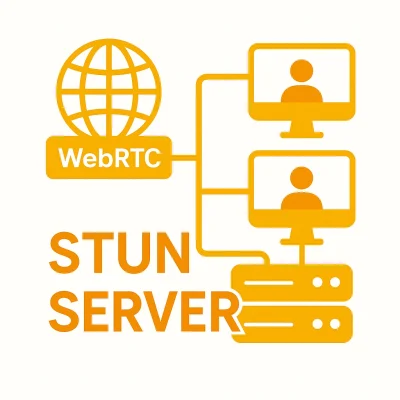
<p><img src="/assets/uploads/2025/05/ChatGPT-Image-May-21-2025-10_29_00-AM-400x400.webp" alt="" /></p>

<h2 id="choosing-and-configuring-stun-servers">Choosing and Configuring STUN Servers</h2>

<p>For developers working on WebRTC-enabled IoT applications, properly configuring STUN servers is critical to performance. Here are a few best practices:</p>

<ul>
  <li><strong>Use multiple STUN servers:</strong> For better reliability and accuracy, configure your application to use multiple STUN servers in different geographic regions. If one server is slow to respond or unavailable, the others can provide backup – helping to avoid failed connection attempts and reduce latency.</li>
  <li><strong>Leverage public STUN services for prototyping:</strong> During development and testing, developers often use public STUN services like Google’s public STUN servers (<a href="http://stun.l.google.com:19302">stun.l.google.com:19302</a>). For production deployments, however, it’s best to rely on self-hosted or commercial STUN servers to maintain better control over uptime, performance, and security.</li>
  <li><strong>Ensure security compliance:</strong> While STUN itself doesn’t transmit sensitive data, it can reveal the public IP and port mappings of a device. In sensitive IoT use cases – especially in healthcare or critical infrastructure – developers should carefully protect this information with encrypted signaling channels and strong access controls.</li>
  <li><strong>Monitor and log connection behavior:</strong> Because NAT behavior can vary widely across networks, maintaining logs of connection attempts, ICE candidate selection, and fallback scenarios can help in debugging and optimizing performance.</li>
</ul>

<h2 id="real-world-applications-of-stun-servers">Real-World Applications of STUN Servers</h2>

<p>Once properly configured, STUN servers play a critical behind-the-scenes role in making real-time connectivity more efficient and responsive. From consumer devices to enterprise platforms, STUN supports a wide range of projects that rely on direct, low-latency peer-to-peer connections.</p>

<p>The following examples show how different industries use STUN to improve performance, reduce server load, and deliver a smoother user experience – even when devices are operating behind NAT:</p>

<ul>
  <li>In <strong>video conferencing platforms</strong> like Zoom, Microsoft Teams, and Google Meet, STUN helps users connect directly whenever possible, improving call quality while easing the burden on central servers.</li>
  <li>In <strong>online gaming</strong>, in which split-second responsiveness is key, STUN enables fast peer-to-peer connections between players, reducing lag in fast-paced or competitive environments.</li>
  <li><strong>Smart home devices</strong> such as video doorbells, smart locks, and IP cameras use STUN to connect directly with mobile apps or hubs, allowing for real-time alerts, live video, and quicker response times without routing all traffic through the cloud.</li>
  <li>In <strong>IoT security systems</strong>, STUN helps surveillance cameras connect to monitoring centers with minimal delay, ensuring smooth video streams and reducing reliance on bandwidth-heavy relays.</li>
</ul>

<h2 id="final-thoughts">Final Thoughts</h2>

<p>STUN is a fundamental part of WebRTC and plays a vital role in enabling efficient peer-to-peer communication across various applications. By helping devices discover their public IPs and navigate NAT barriers, STUN reduces reliance on relay servers, improving performance and lowering costs. However, in cases where NAT restrictions prevent direct connections, TURN servers serve as a necessary fallback to ensure reliable communication.</p>

<p>For developers working on IoT applications, understanding this dynamic – and configuring STUN properly – can significantly enhance reliability, reduce latency, and create better user experiences.</p>

<h2 id="read-our-other-resources">Read our other resources</h2>

<p>We’ve published a range of resources for our community, including:</p>

<ul>
  <li><a href="/what-is-a-webrtc-signaling-server/">What is a WebRTC signaling server?</a></li>
  <li><a href="/iot-latency-the-power-of-real-time-communication/">Understanding latency in IoT</a></li>
  <li><a href="/iot-video-streaming/">Why Use P2P for IoT Video Streaming?</a>, a guide explaining why P2P is often the best option for IoT video application</li>
</ul>]]></content><author><name>Carsten Gregersen</name></author><category term="IoT explained" /><category term="Video" /><summary type="html"><![CDATA[When establishing peer-to-peer connections behind a firewall, STUN servers work to discover the hidden IP addresses.]]></summary><media:thumbnail xmlns:media="http://search.yahoo.com/mrss/" url="https://www.nabto.com/assets/uploads/2025/05/ChatGPT-Image-May-21-2025-10_29_00-AM.webp" /><media:content medium="image" url="https://www.nabto.com/assets/uploads/2025/05/ChatGPT-Image-May-21-2025-10_29_00-AM.webp" xmlns:media="http://search.yahoo.com/mrss/" /></entry><entry><title type="html">A Guide to Amazon Kinesis vs. Nabto WebRTC</title><link href="https://www.nabto.com/guide-to-amazon-kinesis-vs-nabto-webrtc/" rel="alternate" type="text/html" title="A Guide to Amazon Kinesis vs. Nabto WebRTC" /><published>2025-05-16T00:46:40+02:00</published><updated>2025-05-16T00:46:40+02:00</updated><id>https://www.nabto.com/guide-to-amazon-kinesis-vs-nabto-webrtc</id><content type="html" xml:base="https://www.nabto.com/guide-to-amazon-kinesis-vs-nabto-webrtc/"><![CDATA[<p>From monitoring smart home cameras to enabling remote maintenance of industrial equipment, real-time video and data streaming are at the core of many modern digital experiences. Whether you’re troubleshooting a connected thermostat, analyzing live surveillance footage, or enabling video chat on a customer support app, chances are you’re relying on <a href="https://webrtc.org/">WebRTC</a> – the protocol that powers low-latency, peer-to-peer communication between devices.</p>

<p>But while both <a href="/kinesis-vs-kafka-vs-nabto/">Amazon Kinesis</a> and Nabto rely on WebRTC for real-time communication, the way this technology is implemented – and the problems it’s meant to solve – can vary dramatically. Amazon Kinesis, a cloud-based service from Amazon Web Services (AWS), is designed for organizations that need to ingest, store, and analyze massive volumes of streaming data – such as video feeds from security systems, patient monitoring in hospitals, or customer behavior tracking in retail environments. In contrast, Nabto uses WebRTC to enable secure, direct communication with individual IoT devices, making it ideal for applications like remotely unlocking a smart door, adjusting a connected thermostat, or checking a live feed from a home surveillance camera – without routing any data through the cloud.</p>

<p>This article compares how Amazon Kinesis and Nabto use WebRTC to serve very different goals: large-scale data processing versus decentralized, real-time device control.</p>

<p>CTA Video Demo</p>

<div class="post-cta">
<p><img src="/assets/uploads/2023/10/CTA-pctest-white-1400x262.png" alt="" /></p>
<h3><strong>Set up a simulated IoT Video surveillance device on your PC in minutes.</strong></h3>
<p>Our full-stack demos give you access to the Nabto Platform so you can try it now. We specialize in secure, low-latency, P2P connectivity. Get the demo app to try it.</p>
<p><a href="/nabto-video-cam-demo/">Get App Demo</a></p>
</div>

<h2 id="understanding-webrtc-and-amazon-kinesis">Understanding WebRTC and Amazon Kinesis</h2>

<p>WebRTC is an open-source protocol that enables real-time audio, video, and data sharing directly between web browsers or mobile apps. It’s what makes video calls, live chats, and collaborative tools feel instantaneous. But while WebRTC excels at low-latency, peer-to-peer communication, it wasn’t built to handle large-scale storage, analysis, or long-term processing of media streams.</p>

<p>That’s where Amazon Kinesis Video Streams steps in. As part of AWS’s cloud infrastructure, Kinesis lets businesses go beyond basic real-time exchange by capturing, storing, and analyzing live video feeds from IoT devices, surveillance cameras, and other sources. When paired with WebRTC, Kinesis allows organizations not only to stream video in real-time but also to retain those streams for future review, integrate them with machine learning tools, or analyze patterns across multiple data sources.</p>

<p>This combined approach opens the door to advanced use cases—from patient video monitoring in hospitals, to multi-location security systems, to customer behavior analytics in retail environments.</p>

<h2 id="advantages-of-amazon-kinesis-with-webrtc">Advantages of Amazon Kinesis with WebRTC</h2>

<p>While WebRTC is excellent for real-time, peer-to-peer video communication, deploying it at scale – especially across many users or devices – comes with infrastructure challenges. For instance, devices need a way to find each other and establish a connection (known as signaling), and many networks use firewalls or routers that block direct communication (NAT traversal). To overcome these barriers, developers often need to set up additional components like signaling servers and media relays, which can be complex and time-consuming to manage.</p>

<p>Amazon Kinesis Video Streams with WebRTC simplifies all of this by offering a fully managed service. AWS takes care of the signaling, provides TURN and STUN servers to handle NAT traversal, and supplies media relay services when direct connections aren’t possible. That means developers can focus on building their real-time video applications – like customer support tools, remote health monitoring systems, or security dashboards – without worrying about the technical plumbing behind the scenes.</p>

<p>Beyond just making WebRTC easier to deploy, AWS also offers tools to enhance and extend video capabilities. With Kinesis and its broader ecosystem, businesses can:</p>

<ul>
  <li>Store video streams in Amazon S3 for long-term playback or auditing</li>
  <li>Analyze video content using AWS’s AI and machine learning tools (e.g., for motion detection or facial recognition)</li>
  <li>Secure video access with AWS Identity and Access Management (IAM) controls</li>
  <li>Respond to video data in real-time using Amazon Kinesis Data Streams and AWS Lambda functions</li>
</ul>

<p>By using Kinesis Video Streams with WebRTC, organizations get the best of both worlds: real-time communication combined with powerful cloud storage, analytics, and security tools.</p>

<h2 id="understanding-nabto-with-webrtc">Understanding Nabto with WebRTC</h2>

<p>While Amazon Kinesis is built to support large-scale, cloud-based video processing and long-term data analysis, Nabto takes a very different approach. It uses WebRTC to enable direct, peer-to-peer communication between IoT devices and client applications – without routing any data through a cloud server.</p>

<p>This model is especially well-suited to IoT environments in which immediate control, privacy, and simplicity matter more than large-scale storage or analytics. For example, with Nabto, a user can unlock a smart door, adjust a thermostat, or view a live security camera feed in real time, without sending that data to the cloud or relying on a third-party platform to relay the information.</p>

<p>Nabto’s architecture is ideal for:</p>

<ul>
  <li><strong>Smart homes</strong> – Remotely controlling locks, lights, or thermostats with a direct device-to-user connection</li>
  <li><strong>Industrial IoT</strong> – Monitoring and managing on-site equipment in real time, even in environments with strict data privacy requirements</li>
  <li><strong>Remote field service</strong> – Offering support and diagnostics for devices deployed in the field, without requiring cloud-based access layers</li>
</ul>

<p>By eliminating the need for intermediary cloud services, Nabto reduces infrastructure complexity, strengthens security, and ensures that data stays within the local network or between trusted endpoints. This makes it an appealing option for businesses that prioritize real-time responsiveness and data privacy over centralized processing and analysis.</p>

<p><img src="/assets/uploads/2025/05/Amazon-Kinesis-vs.-Nabto-WebRTC-418x400.webp" alt="Image depicting surveillance camera streaming video through Amazon Kinesis or Nabto WebRTC" /></p>

<h2 id="the-nabto-difference">The Nabto Difference</h2>

<p>Amazon Kinesis is built for scale – streaming, storing, and analyzing video and data in the cloud across thousands of sources. Nabto, by contrast, is designed for simplicity and security at the device level. Instead of sending data to a central cloud platform, Nabto enables direct, peer-to-peer communication between IoT devices and end users.</p>

<p>This decentralized architecture offers several advantages for businesses managing connected devices:</p>

<ul>
  <li><strong>Lower risk of data exposure</strong> – Since information doesn’t pass through a third-party cloud server, there’s less surface area for breaches.</li>
  <li><strong>Reduced complexity</strong> – No need to maintain cloud infrastructure or manage backend analytics pipelines.</li>
  <li><strong>Real-time responsiveness</strong> – Direct communication means faster interactions without the delay of routing through the cloud.</li>
</ul>

<p>For IoT companies, this means more control and greater flexibility. Nabto’s WebRTC-based approach is especially valuable in use cases where privacy is critical, infrastructure needs to remain lightweight, or latency must be minimized – such as in home automation, remote equipment control, or offline-capable environments.</p>

<h3 id="amazon-kinesis-vs-nabto-webrtc-security-and-privacy">Amazon Kinesis vs. Nabto WebRTC security and privacy</h3>

<p>One of the key reasons businesses choose Nabto over cloud-based platforms like Amazon Kinesis is its emphasis on privacy and control. For applications in which IoT devices operate in remote, personal, or high-stakes environments – such as home security systems, industrial equipment, or healthcare monitors – the ability to maintain secure, real-time communication without involving cloud servers is more than a convenience; it’s a necessity.</p>

<p>Because Nabto uses peer-to-peer WebRTC connections, data stays between the device and the user, never passing through third-party servers. This means sensitive information – whether it’s a video feed from a baby monitor or performance data from a factory machine – remains within a trusted environment. The result is reduced exposure to external threats, fewer regulatory hurdles, and stronger guarantees of confidentiality.</p>

<p>This architecture also simplifies compliance for industries like healthcare and finance, where strict data privacy standards apply. And since there’s no need to pay for cloud storage or ongoing infrastructure management, Nabto can significantly lower operational costs while increasing security.</p>

<p>In contrast, Amazon Kinesis offers robust tools for managing and analyzing video data at scale – but because that data is stored and processed in the cloud, businesses must implement additional safeguards, such as encryption, access controls, and regular audits, to mitigate risk. For organizations with strict privacy requirements or limited budgets for cloud infrastructure, this added complexity can be a barrier.</p>

<p>By eliminating the need for centralized processing and keeping communication local, Nabto delivers both stronger security and greater cost-efficiency – two priorities that are increasingly top-of-mind for businesses managing distributed IoT systems.</p>

<h2 id="will-you-ever-need-to-choose-between-the-two">Will You Ever Need to Choose Between the Two?</h2>

<p>While Nabto and Amazon Kinesis are built for different architectural approaches, there are situations in which a developer or business might consider both. For example, if you’re building an IoT application with video capabilities, you may be deciding between a cloud-based system that stores and analyzes video data (Kinesis) and a lightweight, peer-to-peer setup that prioritizes direct device control and privacy (Nabto).</p>

<p>The right choice depends on your priorities: choose Kinesis if you need centralized storage, analytics, and integration with other AWS services; choose Nabto if you need real-time responsiveness, reduced complexity, and full control over your data flow. Understanding the trade-offs helps ensure you’re building a system that aligns with your performance, cost, and privacy goals.</p>

<h2 id="final-thoughts">Final Thoughts</h2>

<p>For businesses building IoT systems with real-time video or data streaming, choosing the right architecture matters. Amazon Kinesis offers robust tools for managing large-scale, cloud-based video analytics, but that power comes with complexity, cost, and cloud dependency. Nabto, by contrast, provides a lightweight, peer-to-peer alternative that prioritizes privacy, responsiveness, and control.</p>

<p>If your priority is secure, direct communication between devices – without the need for cloud infrastructure – Nabto offers a compelling option. It’s especially well-suited for applications in smart homes, industrial IoT, and remote service, where simplicity and data ownership are key. In an environment in which real-time control and privacy are increasingly valued, Nabto gives businesses a streamlined, cloud-free path forward.</p>

<h2 id="read-our-other-resources">Read our other resources</h2>

<p>We’ve published a range of resources for our community, including:</p>

<ul>
  <li><a href="/what-is-webrtc/">What is WebRTC in video streaming?</a></li>
  <li>Learn more about P2P from the <a href="/developer-friendly-iot/">developer perspective</a></li>
  <li>What are <a href="/top-webrtc-use-cases-for-iot/">the top WebRTC</a> use cases in IoT?</li>
</ul>]]></content><author><name>Carsten Gregersen</name></author><category term="Platforms" /><category term="Video" /><category term="video streaming" /><category term="WebRTC" /><summary type="html"><![CDATA[Here's what you should know Amazon Kinesis vs. Nabto WebRTC and how each one offers real-time streaming and data transfer via different mechanisms.]]></summary><media:thumbnail xmlns:media="http://search.yahoo.com/mrss/" url="https://www.nabto.com/assets/uploads/2025/05/Amazon-Kinesis-vs.-Nabto-WebRTC.webp" /><media:content medium="image" url="https://www.nabto.com/assets/uploads/2025/05/Amazon-Kinesis-vs.-Nabto-WebRTC.webp" xmlns:media="http://search.yahoo.com/mrss/" /></entry><entry><title type="html">What is Adaptive Bitrate Streaming?</title><link href="https://www.nabto.com/what-is-adaptive-bitrate-streaming/" rel="alternate" type="text/html" title="What is Adaptive Bitrate Streaming?" /><published>2025-05-06T20:06:48+02:00</published><updated>2025-05-06T20:06:48+02:00</updated><id>https://www.nabto.com/what-is-adaptive-bitrate-streaming</id><content type="html" xml:base="https://www.nabto.com/what-is-adaptive-bitrate-streaming/"><![CDATA[<p>Streaming video has become a major part of how we entertain ourselves, learn new skills, and connect with others. Whether you’re watching a movie, attending a live event, or participating in a virtual meeting, the quality of the video stream plays a crucial role in the overall experience. However, streaming comes with its own set of challenges, particularly when internet speeds fluctuate or devices vary in capability. This is where Adaptive Bitrate Streaming (ABR) comes in.</p>

<p>If you’ve ever streamed a live event and noticed the quality suddenly drop, that was ABR in action. To avoid buffering and pauses, the stream lowers its resolution temporarily. The quality adjusts to keep the video playing smoothly.</p>

<p>The quality of a video stream is determined by the bitrate – the amount of data transmitted per second. ABR manages this rate by dynamically adjusting the data flow based on network conditions and device capabilities. This ensures smooth playback with minimal buffering, even when internet speeds fluctuate.</p>

<h2 id="how-does-adaptive-bitrate-streaming-work">How does adaptive bitrate streaming work?</h2>

<p>How does adaptive bitrate streaming work? ABR relies on solving two key challenges:</p>

<ul>
  <li>Offering multiple quality levels of the video stream.</li>
  <li>Choosing the best quality level based on real-time conditions.</li>
</ul>

<p>n traditional HTTP-based streaming protocols like HTTP Live Streaming (HLS) and Dynamic Adaptive Streaming over HTTP (MPEG-DASH), ABR works by pre-encoding video content at several resolutions and bitrates and storing those versions on a server. The video player then selects which version to stream depending on network conditions and device capability. If bandwidth drops, it switches to a lower bitrate version to prevent buffering. When conditions improve, it upgrades the stream quality.</p>

<p>This two-part strategy allows for smooth, responsive playback that adjusts in real time. Because ABR runs over standard HTTP infrastructure, it’s also highly scalable and works across a wide range of devices and geographic locations.</p>

<h2 id="how-is-abr-used-in-webrtc">How is ABR used in WebRTC?</h2>

<p>Since many of our video applications at Nabto use Web Real-Time Communication (WebRTC), it’s important to understand how adaptive bitrate streaming works specifically in real-time, peer-to-peer scenarios.</p>

<p>Unlike HTTP-based streaming, WebRTC does not rely on pre-encoded and segmented video. Instead, it must adapt on the fly, which makes some traditional ABR mechanisms unsuitable. But the core goal remains the same: offer multiple quality levels and dynamically select the best one.</p>

<p>Essentially, WebRTC uses different techniques to solve those same two key challenges.</p>

<h3 id="1-mechanisms-for-offering-multiple-quality-levels">1. Mechanisms for offering multiple quality levels:</h3>

<ul>
  <li><strong>Simulcast</strong>: The sender transmits multiple streams of the same video at different bitrates and resolutions.</li>
  <li><strong>Scalable Video Coding (SVC)</strong>: The sender transmits a single stream composed of layers (base and enhancement layers), which the receiver can selectively decode to adjust quality.</li>
</ul>

<p>These approaches give the receiver or media server flexibility to downshift or upshift quality based on conditions.</p>

<h3 id="2-mechanisms-for-determining-the-optimal-bitrate">2. Mechanisms for determining the optimal bitrate:</h3>

<p>The first of the two mechanisms in this category is RTCP (Real-Time Control Protocol) feedback, which provides ongoing reports about packet loss, round-trip time, and jitter. The second mechanism is congestion control algorithms, including:</p>

<ul>
  <li><strong>Google Congestion Control (GCC)</strong>: Used in many Chrome-based WebRTC implementations.</li>
  <li><strong>Scalable and Controlled Real-time Media Communication (ScReAM)</strong>: Focuses on low-delay, congestion-aware media transmission.</li>
  <li><strong>TCP-Friendly Rate Control (TFRC)</strong>: Maintains compatibility with TCP flows by controlling the send rate based on loss events.</li>
</ul>

<p>These tools monitor real-time network conditions and instruct the sender to adjust video parameters, such as resolution, frame rate, and bitrate, accordingly.</p>

<p>For example, in a poor network environment, a WebRTC application may use RTCP feedback and congestion control to automatically reduce bitrate and frame rate, possibly switching to a lower layer in an SVC stream or a lower stream in a simulcast setup. When conditions improve, the system reverses the adjustments to enhance video quality.</p>

<p>By combining these mechanisms, WebRTC enables real-time adaptive streaming that doesn’t require pre-encoded segments. The result is a responsive, low-latency video experience that works well even in fluctuating network conditions, whether you’re on a call in a remote area or monitoring an IoT device from across the world.</p>

<h2 id="how-does-this-relate-to-iot">How does this relate to IoT?</h2>

<p>Adaptive bitrate streaming plays a critical role in many Internet of Things (IoT) applications that depend on consistent video quality. Security cameras and surveillance systems use ABR to deliver stable streams, allowing a business owner to monitor their premises remotely without glitches or buffering.</p>

<p>Similarly, in WebRTC-based IoT scenarios like remote-controlled drones, robotic systems, or even doorbell cameras, some level of adaptive streaming is essential. These systems often stream video in real time over unstable wireless networks. By adjusting resolution and bitrate on the fly, WebRTC ensures that operators still receive continuous visual feedback even in poor connectivity conditions.</p>

<p>In industrial IoT, ABR enables real-time video streaming from remote locations, such as checking the condition of pipelines on oil rigs, inspecting irrigation systems on farms, or monitoring factory machinery in areas with spotty connectivity. By adjusting video quality based on network conditions, ABR helps critical systems stay online and accessible, even in places where connections can be unpredictable.</p>

<p>Connected vehicles and telematics systems – which collect and transmit data from vehicles in real time – also benefit from ABR by streaming dashcam footage and real-time navigation data. For example, a rideshare driver’s dashcam can continue recording and uploading footage even as the vehicle moves through areas with weaker coverage. Navigation apps can also update maps and traffic information smoothly, helping drivers avoid delays without losing connection.</p>

<p>In healthcare and telemedicine, IoT-enabled medical devices use ABR to support video consultations. A doctor can conduct a virtual appointment with a patient in a rural area, with the video adjusting quality automatically to stay connected even when bandwidth drops. Remote monitoring devices in hospitals can also stream video updates to specialists, ensuring clear communication without overwhelming the network. By optimizing video delivery across diverse environments, ABR makes real-time video streaming more reliable and practical for critical uses.</p>

<h2 id="best-bit-rates">Best bit rates</h2>

<p>Choosing the right bitrate is essential for ensuring smooth, high-quality video streaming. Bitrate determines how much data is transmitted per second in a stream, directly impacting video quality and bandwidth usage. Remember that ABR dynamically adjusts the bitrate based on network conditions and device capabilities, making it preferable to fixed bitrates.</p>

<p>Here are the ideal bitrates for different video resolutions and frame rates:</p>

<p><strong>1080p at 60fps (Full HD):</strong></p>

<ul>
  <li><strong>Bitrate</strong>: 4,500 – 6,000 Kbps</li>
  <li>This range delivers high-quality video with clear details and smooth motion, perfect for viewers with strong internet connections.</li>
</ul>

<p><strong>720p at 30fps (HD):</strong></p>

<ul>
  <li><strong>Bitrate</strong>: 2,500 – 4,000 Kbps</li>
  <li>A suitable range for moderate internet speeds, providing clear video without overloading bandwidth.</li>
</ul>

<p><strong>480p at 30fps (Standard Definition):</strong></p>

<ul>
  <li><strong>Bitrate</strong>: 1,000 – 2,500 Kbps</li>
  <li>Ideal for slower connections, offering smooth playback while minimizing data usage and maintaining basic video quality.</li>
</ul>

<p>The key to a seamless streaming experience lies in finding the right balance. A high bitrate can cause buffering on slower connections, while a low bitrate may lead to poor video quality. ABR technology ensures these adjustments happen automatically, maintaining smooth playback even when network speeds fluctuate.</p>

<p>ABR also enhances the viewing experience across different devices. Whether you’re streaming on a smartphone, tablet, or smart TV, ABR adapts the video quality to the device and network, ensuring the best experience. In areas with limited bandwidth, ABR lowers the bitrate to avoid buffering, and when the connection improves, it increases the quality for a sharper, smoother video.</p>

<p>By dynamically adjusting to real-time conditions, ABR optimizes both video quality and bandwidth efficiency, ensuring users have the best streaming experience, no matter where they are or what device they’re using.</p>

<p>Note that in WebRTC, however, bitrates may vary more frequently than in traditional streaming since the system adapts in real time based on conditions like CPU load and network congestion. The goal isn’t fixed quality, but rather a continuous balance between visual clarity and uninterrupted delivery.</p>

<h2 id="future-trajectory-with-ai">Future trajectory with AI</h2>

<p>As internet speeds and device capabilities continue to improve, developers are finding new ways to make ABR even smarter by combining it with AI. Although ABR has already made streaming smooth by adjusting video quality to fit available bandwidth, upcoming advancements are pushing this technology even further to deliver personalized, seamless, and highly optimized video experiences.</p>

<p>AI can enhance ABR by predicting network fluctuations and device performance more accurately. Traditional ABR systems adjust quality in real-time based on immediate network conditions, but with AI, these systems can look ahead, anticipating potential bottlenecks or connectivity issues before they even happen. This predictive approach ensures that the user experience remains uninterrupted, even during sudden spikes or drops in network performance.</p>

<p>For example, AI-driven ABR systems could monitor historical data from a user’s internet connection and predict the optimal bitrate ahead of time, adjusting the stream for the best possible quality based on patterns, time of day, or even the type of content the user is watching. If someone regularly experiences network slowdowns during evening hours, the system could proactively lower the stream’s quality slightly before a buffering event occurs. Whether the user is watching a live sports game, participating in a virtual class, or attending an important video meeting, the experience would stay smooth and uninterrupted.</p>

<p>In the context of IoT, AI-enhanced ABR would be particularly beneficial. For instance, in industries like healthcare, in which video consultations are becoming more prevalent, AI could ensure that video quality is consistently clear even during peak usage times or in remote areas with fluctuating network availability. AI could also assess the quality of real-time video feeds from security cameras, drones, or remote industrial machines, adjusting the video quality based on the importance of the content being streamed.</p>

<h2 id="final-thoughts">Final thoughts</h2>

<p>ABR has redefined how we consume video, becoming a cornerstone of both entertainment and IoT applications. By dynamically adjusting video quality based on network conditions and device capabilities, tools like ABR and WebRTC’s adaptive features help to ensure a flawless viewing experience, even when connectivity is unpredictable.</p>

<p>As the demand for high-quality, on-demand content grows and IoT systems continue to play a pivotal role in industries worldwide, adaptive streaming will remain essential, driving not only better video experiences but also more intelligent systems.</p>

<h2 id="read-our-other-resources">Read our other resources</h2>

<p>We’ve published a range of resources for our community, including:</p>

<ul>
  <li><a href="/what-are-iot-networks/">What are IoT networks?</a></li>
  <li>Our guide to <a href="/iot-latency-the-power-of-real-time-communication/">IoT latency levels</a></li>
  <li>Understanding <a href="/the-challenge-of-iot-compliance/">regulatory compliance</a> in IoT</li>
</ul>]]></content><author><name>Carsten Gregersen</name></author><category term="IoT explained" /><category term="Video" /><category term="adaptive bitrate streaming" /><category term="video streaming" /><category term="WebRTC" /><summary type="html"><![CDATA[Learn how adaptive bitrate streaming automatically adjusts the quality of the stream to fit current network conditions and prevent lag.]]></summary><media:thumbnail xmlns:media="http://search.yahoo.com/mrss/" url="https://www.nabto.com/assets/uploads/2025/05/Adaptive-Bitrate-Streaming-in-IoT.webp" /><media:content medium="image" url="https://www.nabto.com/assets/uploads/2025/05/Adaptive-Bitrate-Streaming-in-IoT.webp" xmlns:media="http://search.yahoo.com/mrss/" /></entry><entry><title type="html">RTMP vs. WebRTC: Which Streaming Protocol is Right for You?</title><link href="https://www.nabto.com/rtmp-vs-webrtc/" rel="alternate" type="text/html" title="RTMP vs. WebRTC: Which Streaming Protocol is Right for You?" /><published>2025-04-23T21:02:08+02:00</published><updated>2025-04-23T21:02:08+02:00</updated><id>https://www.nabto.com/rtmp-vs-webrtc</id><content type="html" xml:base="https://www.nabto.com/rtmp-vs-webrtc/"><![CDATA[<p>Streaming audio and video over the internet has become essential for everything from live sports and gaming to virtual meetings and IoT applications. But not all streaming technologies are created equal. Two of the most widely used protocols – WebRTC (Web Real-Time Communication) and RTMP (Real-Time Messaging Protocol) – offer distinct advantages depending on your needs.</p>

<p>WebRTC is designed for real-time, two-way interaction. It supports ultra-low latency and peer-to-peer connections, making it ideal for video conferencing, online gaming, remote device control, and other interactive applications. RTMP, by contrast, is built for stable, high-quality broadcasting to large audiences. It typically introduces a few seconds of delay, which is usually acceptable for livestreaming events on platforms like YouTube Live, Twitch, or Facebook Live – in which the focus is on reliable delivery rather than real-time interaction.</p>

<p>In this post, we’ll break down the technical differences, ideal use cases, and decision factors that can help you choose the best protocol for your streaming needs.</p>

<p>CTA Video Demo</p>

<div class="post-cta">
<p><img src="/assets/uploads/2023/10/CTA-pctest-white-1400x262.png" alt="" /></p>
<h3><strong>Set up a simulated IoT Video surveillance device on your PC in minutes.</strong></h3>
<p>Our full-stack demos give you access to the Nabto Platform so you can try it now. We specialize in secure, low-latency, P2P connectivity. Get the demo app to try it.</p>
<p><a href="/nabto-video-cam-demo/">Get App Demo</a></p>
</div>

<h2 id="key-technical-differences-between-webrtc-and-rtmp">Key technical differences between WebRTC and RTMP</h2>

<p>One of the biggest differences between WebRTC and RTMP is how they transmit data. WebRTC uses the User Datagram Protocol (UDP), while RTMP uses the Transmission Control Protocol (TCP). This affects both speed and reliability.</p>

<p>UDP is optimized for low latency. It sends packets without waiting for confirmation that they’ve been received, which speeds up transmission but can result in occasional data loss. That tradeoff makes it ideal for real-time communication, in which brief glitches are better than retransmission of outdated information.</p>

<p>TCP, on the other hand, ensures all data arrives in the correct order by confirming each packet’s delivery. This improves stability and video quality, but introduces more delay – which is usually acceptable in broadcasting contexts.</p>

<p>The protocols also differ in structure. WebRTC uses a peer-to-peer model, allowing direct communication between devices, while RTMP follows a client-server approach, sending the stream to a media server before distribution. This makes WebRTC lightweight and fast, while RTMP excels at scale.</p>

<p>WebRTC also includes a built-in feature called the datachannel, which enables real-time, bidirectional data transfer between peers. Developers use this not just for audio and video, but for sending control signals, telemetry, or supplemental data — making it especially powerful for interactive use cases like remote robotics, multiplayer gaming, and IoT dashboards.</p>

<h2 id="side-by-side-comparison">Side-by-side comparison</h2>

<p>[wptb id=”19189” not found ]</p>

<h2 id="use-cases-when-to-use-webrtc-vs-rtmp">Use Cases: When to Use WebRTC vs. RTMP</h2>

<p>Let’s go into more detail on which uses cases are ideal for these protocols.</p>

<p>Choose WebRTC if you’re building:</p>

<h3 id="1-a-video-conferencing-platform-in-which-every-millisecond-counts">1. A video conferencing platform in which every millisecond counts</h3>

<p>Use WebRTC when building apps like Zoom, Google Meet, or Microsoft Teams alternatives. These tools depend on ultra-low latency (typically &lt;500ms) so participants can speak, react, and collaborate naturally. WebRTC supports bidirectional, encrypted media exchange directly between users’ browsers, minimizing delay and creating a more lifelike experience.</p>

<h3 id="2-a-browser-based-multiplayer-game-with-real-time-interaction">2. A browser-based multiplayer game with real-time interaction</h3>

<p>If your game involves quick reflexes, fast updates, or synchronized action (think virtual card games, real-time strategy, or competitive arcade games), WebRTC allows players to share position data, actions, and voice chat with minimal delay. Unlike polling-based APIs or traditional HTTP, WebRTC maintains a persistent connection ideal for seamless peer-to-peer communication.</p>

<h3 id="3-a-smart-home-application-that-needs-low-latency-sensor-feedback">3. A smart home application that needs low-latency sensor feedback</h3>

<p>Smart home applications using WebRTC can enable near-instantaneous communication between devices. For example, if a motion sensor detects movement, a WebRTC connection can immediately trigger a video feed or alarm with negligible delay. This is critical for time-sensitive systems like doorbell cameras, baby monitors, or live environmental monitoring.</p>

<h3 id="4-a-remote-robotics-interface-or-iot-dashboard">4. A remote robotics interface or IoT dashboard</h3>

<p>WebRTC’s low latency makes it perfect for controlling remote machines or robots in real time, such as guiding a drone, steering a rover, or adjusting settings on industrial IoT devices. Engineers and operators need immediate feedback to make precise adjustments. WebRTC can also be used to stream telemetry data or camera feeds for responsive monitoring.</p>

<p>Choose RTMP if you’re delivering:</p>

<h3 id="1-a-livestreamed-concert-sports-match-or-gaming-event-to-thousands">1. A livestreamed concert, sports match, or gaming event to thousands</h3>

<p>RTMP shines in scenarios where a single source broadcasts to a large audience, like a Twitch stream or YouTube Live event. The protocol feeds into a CDN (Content Delivery Network) for scalable delivery, allowing thousands of viewers to watch the event smoothly, even if there’s a short 5–30 second delay.</p>

<h3 id="2-a-webinar-during-which-reliability-matters-more-than-interactivity">2. A webinar during which reliability matters more than interactivity</h3>

<p>For lectures, corporate events, or training sessions where audience participation is limited and predictable, RTMP offers stable performance. Since you’re not depending on real-time interaction, a slight delay is acceptable — and the format benefits from mature infrastructure and robust compatibility with streaming platforms.</p>

<h3 id="3-a-broadcast-that-uses-encoders-and-cdns-for-mass-distribution">3. A broadcast that uses encoders and CDNs for mass distribution</h3>

<p>RTMP works well with <a href="https://restream.io/blog/hardware-encoding-vs-software-encoding/">hardware encoders</a>, software like OBS, and CDNs like Akamai or Cloudflare Stream. It’s ideal when you need to push a high-quality video stream from a fixed source (like a production studio) to a wide audience without worrying about peer-to-peer complexity. The protocol’s compatibility and mature ecosystem make it a go-to choice for professional-grade broadcasts.</p>

<h2 id="final-thoughts">Final thoughts</h2>

<p>WebRTC and RTMP each serve different priorities. If your application demands speed, responsiveness, and real-time engagement, WebRTC is likely the better fit. If your goal is to broadcast high-quality content to a wide audience with consistent performance, RTMP remains a proven choice. Understanding your use case – and what matters most to your users – will guide you to the right protocol.</p>

<h2 id="read-our-other-resources">Read our other resources</h2>

<p>We’ve published a range of resources for our community, including:</p>

<ul>
  <li>Our guide to the <a href="/rtsp-protocol-guide/">Real Time Streaming Protocol (RTSP)</a></li>
  <li>An explainer on <a href="/understanding-webrtc-security/">WebRTC security architecture</a></li>
  <li><a href="/iot-video-streaming/">Why Use P2P for IoT Video Streaming?</a></li>
</ul>]]></content><author><name>Carsten Gregersen</name></author><category term="IoT explained" /><category term="Protocols" /><category term="Video" /><category term="IoT protocols" /><category term="WebRTC" /><summary type="html"><![CDATA[WebRTC and RTMP are both streaming protocols, but they offer different advantages and are suited for distinct use cases depending on scale. Read more about RTMP vs. WebRTC.]]></summary><media:thumbnail xmlns:media="http://search.yahoo.com/mrss/" url="https://www.nabto.com/assets/uploads/2025/04/RTMP-vs.-WebRTC-scaled-1.webp" /><media:content medium="image" url="https://www.nabto.com/assets/uploads/2025/04/RTMP-vs.-WebRTC-scaled-1.webp" xmlns:media="http://search.yahoo.com/mrss/" /></entry><entry><title type="html">A Look at Top Edge Computing Trends</title><link href="https://www.nabto.com/edge-computing-trends/" rel="alternate" type="text/html" title="A Look at Top Edge Computing Trends" /><published>2025-04-17T17:21:18+02:00</published><updated>2025-04-17T17:21:18+02:00</updated><id>https://www.nabto.com/edge-computing-trends</id><content type="html" xml:base="https://www.nabto.com/edge-computing-trends/"><![CDATA[<p>As the first quarter of 2025 wraps up, more businesses are shifting away from relying solely on the cloud and turning to edge computing. In edge computing, data gets processed closer to where it’s created – rather than in faraway cloud servers – which helps reduce lag and improve security. Peer-to-peer (P2P) communication is often a major part of edge computing infrastructure, allowing devices to communicate directly without forwarding data through the cloud. Companies are making this move to avoid high cloud costs, cut down on delays, and keep tighter control over sensitive data.</p>

<p>In 2017, Gartner estimated that by 2025, <a href="https://www.gartner.com/smarterwithgartner/what-edge-computing-means-for-infrastructure-and-operations-leaders">75 percent</a> of all data would be processed outside of traditional data centers. While that shift hasn’t fully materialized yet, the growing number of connected devices and IoT sensors is accelerating the move toward edge-based computing models. By keeping processing close to where data is generated – in homes, vehicles, factories, or smart city infrastructure – companies can respond more quickly and securely to real-time events.</p>

<div class="post-cta">
<h2><strong>Want to start using P2P connectivity in IoT?</strong></h2>
<p><img src="/assets/uploads/2023/10/CTA-pctest-white-1400x262.png" alt="" /></p>
<p><strong>Then you’ll want to see the Nabto Platform in action. Book a meeting today with one of our P2P IoT experts to get started.</strong></p>
<p><a href="/about/contact-us/">Book Consultation</a></p>
</div>

<h2 id="shifting-from-cloud-to-the-edge">Shifting from cloud to the edge</h2>

<p>As businesses generate and process vast amounts of data, many are realizing that traditional cloud storage models come with inherent limitations. The cloud, while scalable and convenient, introduces latency issues, security vulnerabilities, and high bandwidth costs, making it less suitable for applications requiring real-time data analysis and immediate decision-making.</p>

<p>One major challenge is latency – the delay that occurs when data travels between the source – such as IoT sensors or enterprise applications – and cloud data centers, which may be located thousands of miles away. This lag can be detrimental in applications in which split-second decision-making is required, such as autonomous vehicles, financial trading, and industrial automation. Even a slight delay in transmitting and processing data in these areas can result in inefficiencies, operational downtime, or safety risks.</p>

<p>Security is another pressing concern. Centralized cloud infrastructure creates a single point of failure, making it an attractive target for cyberattacks, increasing the risk of data breaches, ransomware attacks, and unauthorized access. Additionally, strict data privacy regulations – such as GDPR in Europe and CCPA in California – are making it more challenging for companies to store and process sensitive information in public cloud environments.</p>

<p>Edge computing allows companies to process and store data locally, closer to where it’s generated. Instead of sending everything to a remote cloud server, companies can use nearby devices or small on-site data centers to handle computing tasks. This approach improves speed, boosts reliability and security, and helps cut the costs tied to cloud storage and data transfers.</p>

<p><img src="/assets/uploads/2025/04/Edge-Computing-Trends-711x400.webp" alt="Image depicting cloud computing and edge computing" /></p>

<h2 id="top-trends-in-edge-computing">Top trends in edge computing</h2>

<p>Edge computing is on a strong growth trajectory, with businesses increasingly recognizing its advantages over traditional cloud systems. One forecast predicts that global spending on edge computing will reach <a href="https://www.idc.com/getdoc.jsp?containerId=prUS52587424">$378 billion by 2028</a>, driven by the demand for real-time analytics, peer-to-peer communication, AI-driven automation, and improved customer experiences. Several key trends will shape the future of edge computing. Here are some of my predictions for edge computing trends.</p>

<h3 id="1-increased-ai-adoption-at-the-edge">1. Increased AI adoption at the edge</h3>

<p>In the coming months, I expect to see more businesses running AI directly on edge devices – enabling faster, automated decisions without relying on cloud processing. This will be especially impactful in IoT use cases, in which devices need to analyze and act on data in real time. As models become more efficient and easier to deploy, edge-based AI will play a bigger role in areas like autonomous vehicles, industrial sensors, and smart surveillance systems.</p>

<h3 id="2-stronger-data-privacy-regulations">2. Stronger data privacy regulations</h3>

<p>As edge computing spreads, it will bring data processing to more locations – often outside the traditional boundaries of centralized IT. I expect this growing complexity to prompt tighter regulations around how and where sensitive data is handled. Governments will likely introduce new rules to address the risks of decentralized data storage, especially in sectors like healthcare, finance, and critical infrastructure. In response, companies will need to strengthen encryption, tighten access controls, and update their compliance strategies. P2P communication at the edge is often more secure than cloud-based computing, especially with end-to-end encryption like what Nabto provides.</p>

<h3 id="3-improved-sustainability-and-green-computing">3. Improved sustainability and green computing</h3>

<p>As more companies move to edge computing, I expect we’ll see measurable gains in energy efficiency simply as a result of this shift. Processing data closer to where it’s generated reduces reliance on large, power-hungry data centers and cuts down on the energy costs of data transmission. While many businesses may adopt edge computing for performance or security reasons, the environmental benefits will follow.</p>

<h2 id="final-thoughts">Final thoughts</h2>

<p>The shift toward decentralized, intelligent, and secure computing environments is accelerating. Edge computing has become a critical pillar of modern IT infrastructure, enabling faster processing, enhanced security, and cost-effective scalability. This is especially true in IoT-heavy sectors, in which businesses need to manage and analyze data from thousands of distributed devices in real time.</p>

<p>Companies that embrace these technologies will gain a competitive advantage by improving operational efficiency, reducing latency, and ensuring greater control over their data in the years ahead.</p>

<h2 id="read-our-other-resources">Read our other resources</h2>

<p>We’ve published a range of resources for our community, including:</p>

<ul>
  <li>A guide to <a href="/what-is-edge-computing-in-iot/">IoT and edge computing</a></li>
  <li>Understanding <a href="/iot-latency-the-power-of-real-time-communication/">low latency in IoT</a></li>
  <li><a href="/the-challenge-of-iot-compliance/">The challenge of regulatory compliance in IoT</a></li>
</ul>]]></content><author><name>Carsten Gregersen</name></author><category term="IoT explained" /><category term="Uncategorized" /><category term="edge computing" /><category term="edge computing tends" /><category term="IoT" /><category term="iot trends" /><category term="technology" /><summary type="html"><![CDATA[Discover the future of edge computing trends as developers migrate from cloud servers to local data storage for lower latency and better security.]]></summary><media:thumbnail xmlns:media="http://search.yahoo.com/mrss/" url="https://www.nabto.com/assets/uploads/2025/04/Edge-Computing-Trends.webp" /><media:content medium="image" url="https://www.nabto.com/assets/uploads/2025/04/Edge-Computing-Trends.webp" xmlns:media="http://search.yahoo.com/mrss/" /></entry><entry><title type="html">Building an IoT Framework</title><link href="https://www.nabto.com/building-an-iot-framework/" rel="alternate" type="text/html" title="Building an IoT Framework" /><published>2025-04-10T06:09:07+02:00</published><updated>2025-04-10T06:09:07+02:00</updated><id>https://www.nabto.com/building-an-iot-framework</id><content type="html" xml:base="https://www.nabto.com/building-an-iot-framework/"><![CDATA[<p>Before you can build an IoT application, you need a solid foundation. An IoT framework acts as the scaffolding, ensuring that your system works smoothly and can connect with other devices. A well-structured framework makes it easier for devices to communicate, scale, and stay secure.</p>

<p>From picking the right hardware to choosing communication protocols, from setting up edge computing to securing your network, each piece plays a role in creating a reliable and future-ready IoT system. In this guide, we’ll walk you through the key steps to building a strong, scalable IoT framework that’s built for performance, security, and real-world use.</p>

<p>CTA IoT Expert Consult</p>

<div class="post-cta">
<h2><strong>The Nabto Real Time Communication plaform for IoT</strong></h2>
<p><img src="/assets/uploads/2023/10/CTA-pctest-white-1400x262.png" alt="" /></p>
<h2><strong>Ready to talk to our IoT experts to see what we can do??</strong></h2>
<p>Book a consultation today and get help with tech support, business inquiries, and other IoT queries. We are happy to help. Talk to you soon.</p>
<p><a href="/about/contact-us/">Book Consultation</a></p>
</div>

<h2 id="what-are-the-components-of-an-iot-framework">What are the components of an IoT framework?</h2>

<p>The IoT framework consists of a variety of hardware, software, and communication protocols. These components work together to create a functional and scalable IoT ecosystem.</p>

<p>The four main components of an IoT framework are:</p>

<ol>
  <li><strong>Devices/sensors</strong> – These are the physical objects or endpoints that collect data from the environment, such as temperature sensors, cameras, GPS trackers, or embedded sensors in industrial equipment. They are responsible for gathering real-world information</li>
  <li><strong>Connectivity/network</strong> – IoT devices need a way to transmit data, which happens through network protocols like Wi-Fi, Bluetooth, 5G, LPWAN, or satellite connections. These protocols ensure reliable communication between devices and central systems.</li>
  <li><strong>Data processing/edge and cloud computing</strong> – After IoT devices collect and transmit data, the system needs to process it efficiently. In cloud-based IoT frameworks, cloud computing handles large-scale storage, analysis, and advanced processing. However, in peer-to-peer (P2P) architectures like those using Web Real-Time Communication (WebRTC) through the Nabto platform, the cloud acts only as a coordinator to establish direct device-to-device connections. Data flows directly between endpoints, enabling low-latency communication and reducing reliance on centralized infrastructure. Edge computing supports this model by processing data directly on the devices themselves, enabling faster response times and reducing the load on cloud services.</li>
  <li><strong>User interface and applications</strong> – This is the front-end system that allows users to monitor, control, and interact with IoT devices. It can be a mobile app, web dashboard, or automated system that provides insights and triggers actions based on collected data.</li>
</ol>

<p><img src="/assets/uploads/2025/04/IoT-Frameworks-400x400.webp" alt="The word IoT superimposed over a framework, symbolizing IoT frameworks" /></p>

<h2 id="how-to-build-iot-frameworks">How to build IoT frameworks</h2>

<p>Building a robust IoT framework requires integrating smart devices, connectivity, and security to create a seamless system. Whether you’re developing a smart home system or an industrial monitoring system, here’s a step-by-step guide to designing a scalable and secure IoT ecosystem.</p>

<h3 id="1-define-your-use-case">1. Define your use case</h3>

<p>Start by identifying the problem you want to solve. Are you tracking assets in a warehouse? Monitoring home security? Optimizing energy consumption? Clearly defining your IoT use case will guide your hardware, software, and network choices and tell you whether P2P or cloud-based frameworks are the best option.</p>

<h3 id="2-choose-the-right-hardware">2. Choose the right hardware</h3>

<p>The hardware consists of the IoT devices that collect real-world data. This includes sensors, edge devices, and power supply. Sensors capture key metrics such as temperature, energy usage, and motion. Edge devices – including microcontrollers like Arduino and ESP32 or single-board computers like Raspberry Pi – process data locally before transmitting it to the cloud or to other devices through P2P connections.</p>

<p>Power supply is another critical decision, as it directly influences your deployment options and maintenance. Battery-powered devices are great for flexibility and remote environments but may limit processing capabilities and require power-saving communication protocols. Wired power offers continuous operation and higher performance, especially in static or industrial settings.</p>

<p>Many real-world applications use split systems, where the sensor device is battery-operated for flexibility, and a nearby gateway (such as a wired hub or router) handles communication and power-intensive tasks. This setup balances energy efficiency, range, and performance.</p>

<h3 id="3-select-the-best-communication-protocol">3. Select the best communication protocol</h3>

<p>Efficient connectivity is crucial for IoT devices to transmit data reliably while optimizing power consumption and range. The choice of network depends on the application’s needs, balancing factors like coverage, bandwidth, and energy efficiency.</p>

<p>Short-range connectivity options such as Wi-Fi, Bluetooth, and Zigbee are ideal for smart home devices, wearables, and consumer IoT applications that operate within a limited physical area. These protocols offer high data transfer rates but typically require more power and have shorter communication distances.</p>

<p>For broader coverage, long-range networks like <a href="https://www.trendmicro.com/vinfo/us/security/definition/lorawan">LoRaWAN</a>, NB-IoT, LTE-M, and 5G can support industrial IoT, smart cities, and remote monitoring systems. LoRaWAN is well-suited for low-power, long-range applications such as environmental sensors, while NB-IoT and LTE-M provide cellular-based coverage for asset tracking and large-scale deployments. 5G enables ultra-fast, low-latency communication, making it suitable for real-time applications.</p>

<h3 id="4-implement-edge-computing">4. Implement edge computing</h3>

<p>Edge computing reduces latency by processing data close to the source instead of transmitting it to the cloud. Edge platforms like AWS Greengrass, Azure IoT Edge, and Google Edge TPU enhance real-time decision-making and responsiveness.</p>

<h3 id="5-develop-a-user-friendly-application-layer">5. Develop a user-friendly application layer</h3>

<p>A well-designed interface ensures that users can monitor, control, and interact with IoT devices effortlessly. Depending on the application, you can build mobile apps, web dashboards, or voice-enabled assistants to provide real-time insights and remote management.</p>

<h3 id="6-secure-your-iot-framework">6. Secure your IoT framework</h3>

<p>Cybersecurity is critical in IoT. Protect your devices and data with end-to-end encryption (TLS/SSL), device authentication, and regular firmware updates to patch vulnerabilities.</p>

<h2 id="final-thoughts">Final thoughts</h2>

<p>Building a strong IoT framework is essential for ensuring the success, scalability, and security of your application. A well-structured system integrates reliable hardware, efficient connectivity, edge computing, a user-friendly interface, and robust security measures to create a cohesive and future-proof IoT ecosystem.</p>

<p>As IoT technology continues to evolve, prioritizing interoperability, data privacy, and real-time processing will help your application stay competitive and adaptable to new advancements. By following these best practices, you can develop an IoT system that not only meets current needs but is also prepared for the future.</p>

<h2 id="read-our-other-resources">Read our other resources</h2>

<p>We’ve published a range of resources for our community, including:</p>

<ul>
  <li><a href="/iot-latency-the-power-of-real-time-communication/">Our guide to IoT latency</a> and real-time communication</li>
  <li>Best practices for <a href="/5-best-practices-cloud-iot-security/">IoT data security</a></li>
  <li><a href="/build-your-own-iot-platform-versus-buying/">Buying versus building</a> your own IoT platform</li>
</ul>]]></content><author><name>Carsten Gregersen</name></author><category term="IoT explained" /><category term="Internet of Things" /><category term="IoT" /><category term="IoT frameworks" /><summary type="html"><![CDATA[Building an IoT framework requires a selection of hardware, software, and communication protocols to ensure scalability, security, and interoperability.]]></summary><media:thumbnail xmlns:media="http://search.yahoo.com/mrss/" url="https://www.nabto.com/assets/uploads/2025/04/IoT-Frameworks.webp" /><media:content medium="image" url="https://www.nabto.com/assets/uploads/2025/04/IoT-Frameworks.webp" xmlns:media="http://search.yahoo.com/mrss/" /></entry><entry><title type="html">What Are IoT Networks?</title><link href="https://www.nabto.com/what-are-iot-networks/" rel="alternate" type="text/html" title="What Are IoT Networks?" /><published>2025-03-26T02:30:58+01:00</published><updated>2025-03-26T02:30:58+01:00</updated><id>https://www.nabto.com/what-are-iot-networks</id><content type="html" xml:base="https://www.nabto.com/what-are-iot-networks/"><![CDATA[<p>The rise of smart technology has transformed the way devices communicate. But at the core of this transformation are IoT networks – communication systems that allow Internet of Things (IoT) devices to collect and exchange data. These networks can either facilitate device-to-device communication (aka peer-to-peer, or P2P) or they can establish lines of communication between physical devices and the cloud, depending on the application and connectivity needs.</p>

<p>However, there are many network options for transmitting the data. I’ll explain the network architecture and the four leading types of IoT networks.</p>

<div class="post-cta">
<h2><strong>The Nabto Real Time Communication plaform for IoT</strong></h2>
<p><img src="/assets/uploads/2023/10/CTA-pctest-white-1400x262.png" alt="" /></p>
<h2><strong>Ready to talk to our IoT experts to see what we can do??</strong></h2>
<p>Book a consultation today and get help with tech support, business inquiries, and other IoT queries. We are happy to help. Talk to you soon.</p>
<p><a href="/about/contact-us/">Book Consultation</a></p>
</div>

<h2 id="iot-network-architecture">IoT network architecture</h2>

<p>Before diving into specific network types, it’s important to understand how IoT networks are structured to enable seamless communication. IoT network architecture consists of four key layers that work together to capture, transmit, and process data efficiently:</p>

<ul>
  <li><strong>Perception Layer:</strong> The foundation of IoT networks, consisting of sensors and actuators that collect data from the physical world, such as temperature, motion, or humidity.</li>
  <li><strong>Edge Layer:</strong> Includes gateways and edge computing devices that process data closer to the source, reducing latency and enabling real-time decision-making in applications like industrial automation.</li>
  <li><strong>Network Layer:</strong> Responsible for transmitting data, usually via technologies like Wi-Fi, Bluetooth, LPWAN, and cellular (3G, 4G,and 5G IoT networks), while balancing range, speed, and power efficiency. Radio wave-based wireless networks are the most common, but wired networks, typically in the form of ethernet, are also used in IoT.</li>
  <li><strong>Cloud Layer:</strong> Provides data storage, analysis, and remote access, leveraging AI and big data to support predictive maintenance and large-scale IoT management.</li>
</ul>

<p>A well-structured IoT network ensures secure, scalable, and efficient data flow, making it easier to build reliable IoT applications. Now, let’s explore the different types of IoT networks and their specific use cases. For the purposes of this article, the focus will be on wireless radio-based networks, since these are the most common in IoT.</p>

<p><img src="/assets/uploads/2025/03/IoT-Networks-600x400.webp" alt="Man standing in front of screen depicting various IoT networks and software." /></p>

<h2 id="the-four-types-of-iot-networks">The four types of IoT networks</h2>

<p>The four main types of IoT networks are personal area networks (PAN), local area networks (LAN), wide area networks (WAN), and low-power wide area networks (LPWAN). These all work to transmit data captured by IoT sensors, but each network has its own pros and cons.</p>

<h3 id="pan">PAN</h3>

<p>A personal area network (PAN) connects devices within a short range, typically a few meters. This type of network is designed for low-power, short-range communication and is commonly used for wearable devices, smart home gadgets, and health monitoring systems. Technologies like Bluetooth and Zigbee enable seamless connectivity among smartphones, smartwatches, fitness trackers, and other IoT devices. PANs are ideal for personal use cases that require direct device-to-device communication but that don’t need extensive infrastructure.</p>

<h3 id="lan">LAN</h3>

<p>A local area network (LAN) provides connectivity within a limited geographical area, such as a home, office, or factory. Wi-Fi and ethernet are the most common LAN technologies in IoT applications. LANs offer higher data transfer speeds and better reliability than PANs, making them suitable for smart homes, industrial automation, and connected office environments. IoT devices on a LAN can communicate with each other and the internet through a central router or gateway, enabling efficient data exchange and remote monitoring.</p>

<h3 id="wan">WAN</h3>

<p>A wide area network (WAN) extends connectivity over large distances, enabling IoT devices to communicate across cities, countries, or even globally. Cellular networks – such as 3G, 4G, and 5G – are the most widely used WAN technologies in IoT, offering reliable and scalable connectivity for applications like smart cars, GPS tracking, and mobile healthcare. WANs make it possible for devices to stay connected even when they move between different locations.</p>

<p>One of the trade-offs of WAN technology is that it typically requires more power and comes with higher operational costs than other network types. However, newer WAN technologies, such as 5G, offer significant advantages. With ultra-fast speeds, low latency, and the ability to connect a vast number of devices simultaneously, 5G IoT networks are particularly suited for advanced applications that rely on real-time data transmission. These include autonomous vehicles, smart cities, industrial automation, and remote healthcare.</p>

<h3 id="lpwan">LPWAN</h3>

<p>A low-power wide area network (LPWAN) is specifically designed for long-range, low-power communication, making it ideal for large-scale IoT deployments. Technologies like long range wide area network (LoRaWAN), Sigfox, and NB-IoT allow devices to transmit small amounts of data over vast distances while consuming minimal power. LPWANs are commonly used in smart agriculture, environmental monitoring, and industrial IoT, where devices need to operate for years on a single battery. These networks provide cost-effective connectivity for IoT applications that require intermittent data transmission but don’t need high bandwidth.</p>

<h2 id="the-best-iot-networks-for-p2p">The best IoT networks for P2P</h2>

<p>Peer-to-peer (P2P) devices communicate directly with each other without relying on a central server or cloud-based intermediary. These devices exchange data in real-time, making them ideal for applications like smart home automation, surveillance, file sharing, and industrial machine-to-machine (M2M) communication. Since P2P communication requires direct and efficient data transfer, PANs and LANs are the best-suited IoT networks for these devices.</p>

<h3 id="pan-for-p2p-devices">PAN for P2P Devices</h3>

<p>PANs, such as Bluetooth and Zigbee, enable short-range communication between P2P devices, making them ideal for wearables, smart home gadgets, and medical devices. For example, common PAN-based P2P applications include a fitness tracker syncing data with a smartphone or smart lights responding to voice commands via a mobile app. These networks offer low power consumption, fast response times, and direct connectivity, making them efficient for small-scale P2P interactions.</p>

<h3 id="lan-for-p2p-devices">LAN for P2P Devices</h3>

<p>LANs, particularly Wi-Fi, supports higher data transfer speeds and can connect multiple devices over a wider range compared to PANs. In P2P applications, LANs enable seamless device-to-device communication within homes, offices, or industrial settings without requiring an internet connection. Examples include a smart TV streaming content from a local media server, or two industrial robots coordinating tasks within a factory floor.</p>

<h2 id="final-thoughts">Final thoughts</h2>

<p>When it comes to IoT, it’s all about the data – capture, transmission, and storage. So, choosing the correct IoT network is an essential part of the development process. How data gets from one place to another can make or break an IoT application. Choose wisely.</p>

<h2 id="read-our-other-resources">Read our other resources</h2>

<p>We’ve published a range of resources for our community, including:</p>

<ul>
  <li>What are the <a href="/best-audio-codec-chips/">best audio codecs for your IoT design</a>?</li>
  <li>Our guide to <a href="/iot-latency-the-power-of-real-time-communication/">IoT latency levels</a></li>
  <li>Understanding <a href="/the-challenge-of-iot-compliance/">regulatory compliance</a> in IoT</li>
</ul>]]></content><author><name>Carsten Gregersen</name></author><category term="IoT explained" /><summary type="html"><![CDATA[Learn about the different IoT network options for transmitting data between devices and the cloud or between P2P devices.]]></summary><media:thumbnail xmlns:media="http://search.yahoo.com/mrss/" url="https://www.nabto.com/assets/uploads/2025/03/IoT-Networks.webp" /><media:content medium="image" url="https://www.nabto.com/assets/uploads/2025/03/IoT-Networks.webp" xmlns:media="http://search.yahoo.com/mrss/" /></entry></feed>